How to Install a Eufy Door Lock
Here's how to install a eufy door lock: check that your deadbolt is a standard type, remove the old interior hardware, and fit the exterior and interior assemblies with the mounting plate. Then add batteries, pair the lock in the eufy Security app, and set your fingerprints and codes.
On this page (9 sections)
- How long does a eufy door lock installation take?
- How do you check door compatibility before you start?
- What tools and parts come in the box?
- How do you remove the old deadbolt?
- How do you fit the eufy lock step by step?
- How do you pair the eufy lock with the app?
- How do you set fingerprints, codes and auto-lock?
- What should you check before you rely on the lock?
- Which lock should you choose if you don't want to replace the deadbolt?
Here's how to install a eufy door lock: check that your deadbolt is a standard type, remove the old interior hardware, and fit the exterior and interior assemblies with the mounting plate. Then add batteries, pair the lock in the eufy Security app, and set your fingerprints and codes.
The eufy Smart Lock C220 is a full deadbolt replacement rather than a retrofit. That matters before you buy: you swap the whole lock, so you get a new keyed cylinder and 2 new keys.
The upside is a cleaner fit and a lock with Wi-Fi built in, so there's no bridge to install afterward. Set aside 15 to 30 minutes on a dry day.
How long does a eufy door lock installation take?
About 15 minutes if your door already has a standard deadbolt. eufy says the C220 installs without drilling and fits most standard deadbolts. A first-time install usually takes longer because you read the steps as you go.
The clock starts once the old lock is off. Removing the old deadbolt, reading the manual, and pairing the app each add a few minutes.
A second lock on a back door goes faster because you know the order of the parts.
Plan for one person to hold the exterior assembly while the other drives the screws. A small bowl for screws saves time and keeps the hardware out of the way.
If your door sticks in humid weather, fix that first; a binding door makes alignment harder. Our guide to whether smart locks are weatherproof covers outdoor conditions for your door.
How do you check door compatibility before you start?
Measure the bore hole and the door thickness, and confirm the deadbolt type. The C220 fits bores under 54mm when you remove the spacer, and eufy says it's compatible with most standard deadbolts.
Use a tape measure across the round hole in the door face. Then measure the door edge to the center of the hole.
These two numbers decide whether the latch and the bolt line up with the new hardware.
Check the door thickness too, and note whether the deadbolt is a single-cylinder type. A door with a wrap plate or an unusual backset can need extra work.
Take photos of the old lock before you remove it so you can match the parts later.
If your door has no deadbolt cutout at all, stop here. That job needs a drill and a different lock type.
Our guide to smart door lock features explains what to look for in that case.
What tools and parts come in the box?
You need a Phillips screwdriver, and the C220 box supplies the rest. Inside are the exterior and interior assemblies, a mounting plate, the install set, 2 keys and 8 AA batteries.
Lay the parts out in the order the manual shows. Match the mounting plate to the interior side of the door and keep the screws sorted by length.
Mixing long and short screws is the most common cause of a stripped hole.
You may also want a tape measure and a pencil for marking, plus a small level if your door is out of square. A screwdriver with a magnetic tip helps when you reach the upper screw.
Don't force any screw; if it binds, back it out and check the alignment.
How do you remove the old deadbolt?
Take off the interior thumb turn first, then the exterior cylinder. Open the door so you can work on both faces at once, and keep the door from swinging.
- Remove the interior cover and the two through-bolts that hold the lock together.
- Pull the interior assembly away and slide the exterior half out of the door.
- Take out the latch plate screws and remove the latch and bolt.
- Clean the cutout and check that the hole edges are smooth.
Keep the old parts together in case you need to reinstall the lock or return the new one. A door that has been painted over the hardware may need a gentle cut along the paint line before the plate releases.
If the old deadbolt has a different bolt throw, note that before you fit the new latch.
How do you fit the eufy lock step by step?
Install the latch first, then the exterior assembly, the mounting plate, and the interior assembly. Work in that order so the through-bolts reach both halves.
Step 1: Fit the latch and bolt
Slide the new latch into the door edge and drive the two plate screws. The bolt should move freely when you turn the latch with your hand.
If it drags, loosen the screws slightly and realign the plate.
Step 2: Mount the exterior assembly
Hold the exterior keypad against the outside face with the key cylinder in the bore. Feed the cable through the hole and hold the unit flat.
A helper keeps it from dropping while you move inside.
Step 3: Attach the mounting plate and interior assembly
Screw the mounting plate to the inside face, then connect the cable and seat the interior assembly over it. Drive the through-bolts from the inside so the two halves clamp together.
Check that the door still closes without rubbing the strike plate.
Step 4: Add batteries and test the bolt
Load the 8 AA batteries and close the battery cover. Turn the thumb turn and run the keypad once to confirm the bolt extends and retracts. eufy says the batteries last around 8 months, though heavy use shortens that.
If the bolt catches on the strike plate, adjust the plate rather than forcing the lock. A small file or a screwdriver on the plate tabs usually fixes the rub.
Test the physical key too, so you know the backup works before you rely on the app.
How do you pair the eufy lock with the app?
Open the eufy Security app, add a device, and follow the on-screen steps. The C220 has Wi-Fi built in, so you don't need a bridge.
Keep the phone within a few feet of the door during pairing.
- Power on the lock and open the app.
- Choose the add-device option and pick the lock model.
- Join your 2.4 GHz Wi-Fi network when asked.
- Name the lock and finish the setup.
The app walks you through a calibration step so the lock learns how far the bolt travels. Set an admin code and a fingerprint during setup while you're already at the door.
Pairing can fail on a 5 GHz-only network, so check which band your router broadcasts before you start.
How do you set fingerprints, codes and auto-lock?
Add fingerprints and passcodes in the app after pairing, then turn on auto-lock. The C220 stores up to 50 fingerprints and 100 passcodes, so there's room for the whole household and a few guests.
Place each finger on the sensor several times when the app asks. eufy says the fingerprint reader learns with each touch and gets more precise over time. Register the finger you'd naturally use with a full hand of groceries.
Set a separate code for guests and delete it when they leave. Add random digits before or after your real code to hide it from anyone watching.
For auto-lock timing and remote control, the app settings are the place to change them; our look at how to install a Philips smart door lock shows how the app steps compare across brands.
What should you check before you rely on the lock?
Test the key, the keypad, the app and the auto-lock from both sides of the door. Do this with the door open first, then closed, so you catch a bolt that binds before it locks you out.
Check that the bolt fully seats in the strike plate and that the door doesn't rattle. Confirm the app shows the lock state correctly and that an alert reaches your phone. eufy says the C220 is BHMA Grade 3 certified and rated for temperatures from -22°F to 158°F (-30°C to 70°C), so it's built for outdoor doors.
Keep one physical key outside the house in a safe place, such as with a trusted neighbor. The keypad battery check matters too, since a low battery warning gives you time to swap the AA cells.
Which lock should you choose if you don't want to replace the deadbolt?
A retrofit lock fits over your existing deadbolt and keeps your keys. That's the better choice for renters or anyone who doesn't want to change the keyed cylinder.
If you want a handle-style unit instead, see our roundup of the best smart door handle locks.
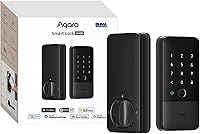
The Yale Approach installs on the inside of the door without replacing the deadbolt and uses a Yale Connect Wi-Fi bridge for remote control. The Aqara U200 adds Apple Home Key and a fingerprint sensor, but it needs a Thread-enabled Apple hub for Home Key features.
Pick the eufy C220 if you want a full deadbolt replacement with Wi-Fi built in; pick a retrofit if keeping your keys matters more.
Once the lock is on, the rest is routine: set your codes, check the app, and test the key. Following the order above is what makes how to install a eufy door lock a short job rather than an afternoon of rework.
Frequently asked questions
Do I need a hub to set up the eufy C220?
No. The eufy C220 has Wi-Fi built in, so it joins your home network directly and the eufy Security app controls it from anywhere.
There's no separate bridge to buy or plug in.
Can I install a eufy lock without drilling?
eufy says the C220 fits most standard deadbolts and installs without drilling in about 15 minutes. If your door has no deadbolt cutout at all, the job changes and you need a different lock type.
What tools do I need to install a smart deadbolt?
Plan on a Phillips screwdriver, a tape measure and a pencil. A drill is only for a door that doesn't already have a deadbolt hole, and the eufy C220 fits an existing standard bore.
How do I know the eufy lock fits my door?
Measure the bore hole and the door thickness first. The eufy C220 fits bores under 54mm when you remove the spacer, and eufy says it's compatible with most standard deadbolts.
Can I keep my old keys after installing a eufy lock?
No. Replacing the deadbolt means new keys, and the C220 ships with 2 keys.
If you want to keep your existing key, choose a retrofit lock instead, such as the Yale Approach or Aqara U200.