What Smart Door Locks Work With Ring?
Z-Wave smart locks work with Ring. The Ring app controls them only when a Ring Alarm hub is in the home, since Ring has no Z-Wave radio in its cameras or doorbells. Wi-Fi and Bluetooth locks don't connect to Ring at all.
On this page (8 sections)
- What smart door locks work with Ring?
- Why does a Ring Alarm hub matter for a smart lock?
- Which Ring devices talk to a lock, and which don't?
- How do you pair a Z-Wave lock with Ring?
- What can you do with a Ring-compatible smart lock in the Ring app?
- Which Ring-compatible locks suit which door?
- What should you check before buying a Ring-compatible lock?
- Which smart lock should you buy for a Ring system?
Z-Wave smart locks work with Ring. The Ring app controls them only when a Ring Alarm hub is in the home, because Ring's cameras and doorbells carry no Z-Wave radio.
Wi-Fi and Bluetooth locks don't connect to Ring at all.
That one rule answers most of the shopping question. If you already run a Ring Alarm system, you have the hub and only need to pick a Z-Wave lock.
If you own Ring cameras but no alarm hub, the lock won't appear in the Ring app until you add one.
What smart door locks work with Ring?
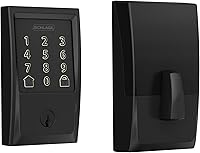
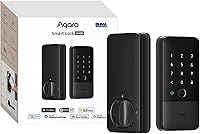
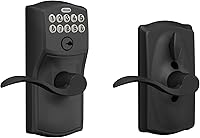
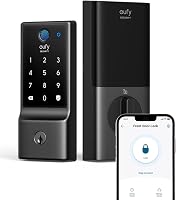
Any Z-Wave lock built for the Ring Alarm hub works with Ring, and Kwikset and Ultraloq both make models that fit. The three locks below are the practical picks because each one lists Ring or Z-Wave hub support and covers a different front door.
The shared ingredient is Z-Wave. It's a low-power wireless standard built for locks and sensors, and the Ring Alarm hub speaks it.
Ring lists Z-Wave locks from several brands as compatible, so you aren't tied to one maker. Check the lock's own page for Ring Alarm support before you buy, since a Z-Wave label alone doesn't promise it.
The chip version matters more than the word Z-Wave alone. Both Kwikset locks use the Z-Wave 700 chip, and the Ultraloq runs on an 800 Series radio with the Silicon Labs ZG28 chip.
Each one pairs through SmartStart or standard Z-Wave inclusion, so the hub discovers the lock without a long button routine. Ring, SmartThings and Alarm.com all sit on the same Z-Wave foundation, so a lock built for one usually lists the others too.
Why does a Ring Alarm hub matter for a smart lock?
Ring locks need the hub because the lock can't talk to the Ring cloud by itself. The hub is the bridge between the lock and the Ring app on your phone.
A Z-Wave lock has no Wi-Fi chip. It sends short radio messages to a hub, and the hub passes them to Ring's servers.
That's why the box on a Ring-compatible lock says "hub required, sold separately" rather than "works out of the box".
This also shapes what you can do remotely. With the hub online, you can lock and open from the app, set and delete codes and read the lock's status.
Without the hub, the lock still works at the door but you lose all of that. The hub also sets the ceiling on range.
Long Range radios in the lock reach further, but the Ring base station decides how far the signal actually travels, so a detached garage may still need a repeater.
Which Ring devices talk to a lock, and which don't?
Only the Ring Alarm base station controls locks. Ring cameras, doorbells and the Ring Bridge don't include the Z-Wave radio a lock needs.
The base station holds the Z-Wave chip and runs the automations. A Ring doorbell is a video device, so it can show you who's at the door but can't turn the deadbolt.
The Ring Bridge is built for lighting, not locks.
So the honest answer to "what smart door locks work with Ring" depends on your gear. With an Alarm hub, most Z-Wave locks do.
With only cameras and a doorbell, none do, no matter which lock you buy.
The hub also puts the lock in the same activity feed as your motion alerts and doorbell presses. That's the real payoff: one app, one timeline and one set of routines that can tie the lock to the rest of the system.
How do you pair a Z-Wave lock with Ring?
Put the Ring Alarm hub in pairing mode first, then start pairing on the lock. Kwikset calls its version SmartStart, which scans a code so you don't have to press buttons on both devices.
In the Ring app, open Devices, choose Add Device and pick the lock category. Then follow the lock's instructions to enter pairing mode.
The Kwikset HomeConnect 620 and 918 use SmartStart for this step. For the physical install, our guide on how to install a Philips smart door lock covers mounting and the app side.
What does the install involve before pairing?
Mount the lock before you pair it. All three models fit doors 1-3/8 to 2 in thick, and the Kwikset pair adjust to a deadbolt backset from 2-3/8 to 2-3/4 in.
You need only a screwdriver. The Kwikset boxes include the keypad deadbolt, batteries, keys and installation hardware.
The Ultraloq box includes the lock, 2 keys and its mounting hardware, and its deadbolt swaps into an existing hole in about 10 minutes with no wiring or drilling. Fit the batteries and confirm the keypad lights up before you open the Ring app.
Once paired, name the lock and set your first codes in the Ring app. Test the deadbolt from the app before you rely on it, then try a keypad code at the door.
What can you do with a Ring-compatible smart lock in the Ring app?
You get remote lock and open, code management, status checks and auto-lock schedules. Ring shows the lock alongside your cameras and sensors, so one app covers the entry.
The app-level features follow the lock's own hardware. The Kwikset HomeConnect 620 accepts up to 250 user codes plus one programming code, and you can edit or delete them from Ring.
It also auto-locks on a schedule you pick: 30 seconds, 1, 3, 5 or 10 minutes. The 918 matches those code and auto-lock options.
The Ultraloq Bolt Z-Wave adds activity alerts and automation ideas. You can have a Z-Wave light or sensor react when the door opens, which is handy for an entry light after dark.
All three locks offer one-touch locking and a back-lit keypad for night entry. The Kwikset models add a battery indicator so you know when the 12-month AA battery life is running out.
On the Ultraloq, lithium batteries stretch that further, which matters on a rental or a door you don't pass every day.
Which Ring-compatible locks suit which door?
The Kwikset HomeConnect 620 fits most front doors, because the polished brass traditional shape matches common hardware and the Z-Wave 700 Long Range radio reaches across a house. It runs on 4 AA batteries with a 12-month battery life and installs with a screwdriver on doors 1-3/8 to 2 in thick.
Grade 2 BHMA certification covers security, durability and finish. Its SmartKey feature lets you re-key the lock yourself in seconds if a key goes missing.
Who should pick the Kwikset HomeConnect 918?
The 918 is the same Ring-ready Z-Wave lock in a contemporary matte black finish. Pick it when the 620's brass look clashes with a modern door.
It shares the 250-code limit, the same auto-lock intervals and the same 12-month battery life. Its footprint is close to the 620's at roughly 4.17 by 5.87 by 9.94 inches, so the swap is mostly about color and style.
Who should pick the Ultraloq Bolt Z-Wave?
Choose the Ultraloq Bolt Z-Wave for an exposed or detached door. It carries an IP65 weather rating and BHMA Grade 1 certification, the higher grade of the three.
Its zinc alloy body and Long Range radio suit a garage entry, a side gate or a rental unit. It also pairs with Alarm.com and Home Assistant as well as Ring, which helps if your property already runs one of those platforms.
One caution for outdoor doors: a weather rating helps, but it isn't the whole story. Our guide to whether smart locks are weatherproof explains what a rating like IP65 covers and where water still gets in.
What should you check before buying a Ring-compatible lock?
Confirm three things: Z-Wave support, Ring Alarm in the listing and the hub already in your home. Those three separate a lock that works with Ring from one that only sounds like it should.
First, the lock's page should name Ring Alarm or a Z-Wave hub. Second, the lock needs the hub to be present, so buy or confirm the Alarm base station before the lock arrives.
Third, match the lock to your door thickness and backset, which the Kwikset pair handle at 1-3/8 to 2 in and 2-3/8 to 2-3/4 in.
Decide on the extras too. All three locks here have a keypad, auto-lock and a key backup.
A lever-style smart door handle lock changes the look of the door but usually needs a different mounting setup. Compare smart door lock features before you pay for a feature you won't use.
Which smart lock should you buy for a Ring system?
Buy the Kwikset HomeConnect 620 for most Ring homes. It's the strongest all-round fit: Ring Alarm support, Long Range Z-Wave, 250 codes, auto-lock schedules, 12-month battery life and Grade 2 security in a familiar brass finish.
Choose the 918 instead when a matte black contemporary look matters more than the brass. Choose the Ultraloq Bolt Z-Wave when the door sits outside or far from the hub and you want Grade 1 security and an IP65 rating.
Skip all three if you don't run a Ring Alarm hub and don't plan to add one. In that case, a Wi-Fi lock with its own app is the simpler buy.
If you do add the hub, the short answer to "what smart door locks work with Ring" is the Z-Wave ones, with the hub as the link between them.
Frequently asked questions
Does Ring make its own smart lock?
No. Ring sells cameras, doorbells and alarm systems, and it controls locks made by other brands through the Ring Alarm hub.
You pick a Z-Wave lock from a company like Kwikset or Ultraloq and add the hub to bring it into the Ring app.
Can a Ring doorbell lock or open my door?
Not on its own. A Ring doorbell has no Z-Wave radio, so it can't talk to a lock.
The Ring Alarm hub does that job, and the doorbell only lets you see and speak to visitors.
Do I need a Ring subscription to use a smart lock with Ring?
No. Lock control, code management and auto-lock work in the free Ring app once the hub is set up.
A Ring Protect plan covers video recording from cameras and doorbells, which is a separate feature from lock control.
Can I use a Ring-compatible lock without Ring?
Yes. Every Z-Wave lock here also works with other Z-Wave hubs such as SmartThings, Home Assistant or Alarm.com.
You can skip Ring entirely and still get app control, schedules and code management from another platform.
What happens to my lock if the Ring hub goes offline?
The lock keeps working at the door. Keypad codes, the key and auto-lock run on the lock's own batteries, so you can still get in and out.
Remote control in the app and status checks pause until the hub is back online.
How far can a Z-Wave lock sit from the Ring hub?
Plan on a normal indoor Z-Wave range, roughly room to room, and add a Z-Wave repeater if the lock sits far away. Z-Wave Long Range models like the Kwikset 620 and 918 reach further, but the Ring hub still sets the limit.