
Wi-Fi & App Locks
How to Program a Schlage Connect Smart Deadbolt
Learn how to program a Schlage Connect smart deadbolt: set user codes at the keypad, add it to a Z-Wave hub, manage codes from the app, and clear old entries.
Connected deadbolts and handle sets you run from a phone, with budget picks, features worth paying for and everyday questions.
Learn how to program a Schlage Connect smart deadbolt: set user codes at the keypad, add it to a Z-Wave hub, manage codes from the app, and clear old entries.

How to program a Yale smart lock: set the master code, add and delete user codes, pair the app or hub, and fix the usual hiccups.
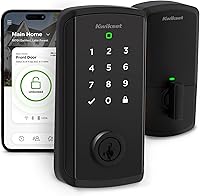
Learn how to program a Kwikset Halo lock in the app: set user codes, schedules, auto-lock, and Wi-Fi, plus how to remove codes and reset.
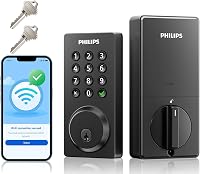
Learn how to install a Philips smart door lock: measure the door, fit the deadbolt and keypad, pair Wi-Fi and the app, and test auto-lock safely.

How to install a Kwikset Halo smart lock: remove the old deadbolt, fit the new one with a screwdriver, then finish setup in the Kwikset app.

How to install a Yale smart lock: remove the old deadbolt, fit the new one, mount the keypad and interior, add batteries and set up the app in about an hour.
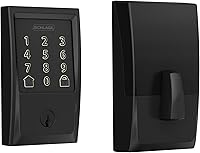
Are smart locks weatherproof? Compare IP ratings, temperature limits, and door exposure to choose a lock that fits your entry and climate.

Compare cheap smart locks with fingerprint, keypad and app access. Find a budget pick for remote entry, guest codes, battery needs and your door.
Do smart locks need a hub? Learn when built-in Wi-Fi is enough, when a smart home hub is required, and how to choose the right connection for your door.
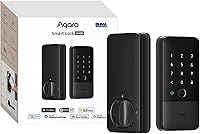
Smart door lock features worth paying for include remote access, useful alerts and a backup entry method. Match the features to your door and daily routine.

Find out how long smart lock batteries last, what affects battery life, which warning signs to watch for, and how to plan for a low or dead battery.
Smart lock vs keypad lock: compare remote control, code limits, backup keys and setup to choose a lock that fits your door, household and daily routine.