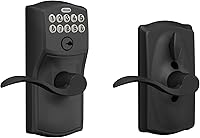
How to Program a Kwikset Powerbolt 250
To program a Kwikset Powerbolt 250, wake the keypad, enter the master (programming) code, press the keypad button labeled 1, and follow the chimes to set the master code or add user codes. The master code also opens and closes the lock, so set it first and keep it private.
On this page (8 sections)
- What do you need before you program the lock?
- How do you set the master programming code on a Powerbolt 250?
- How do you add and remove user codes?
- How do you set auto-lock and change the delay?
- How do you turn on vacation mode?
- What do the keypad lights and intrusion alert tell you?
- How do you change the batteries and keep the lock working?
- What else should you know about the Powerbolt 250?
To program a Kwikset Powerbolt 250, wake the keypad with a tap, enter the master code, press the keypad button labeled 1, and let the chimes guide you through setting the master code or adding users. The master code is the key to the whole lock, so set it first and keep it away from the codes you hand out.
The Powerbolt 250 is a keypad deadbolt, not a smart lock tied to an app. Every change happens on the 10-button keypad, and the lock answers each step with a chime so you know when it worked.
This guide walks the setup order and the features that matter once your codes are in place.
What do you need before you program the lock?
You need a screwdriver and 4 AA alkaline batteries, so install the deadbolt and fit the batteries before you touch the keypad. The keypad won't respond until the lock has power.
The lock ships with no codes, so you create your own master code at setup. Kwikset's instructions tell you to set it to your own before adding users.
Decide your master code before you start. Pick 4 to 8 digits you'll remember, avoid birthdays and the last four digits of your phone number, and don't reuse a code from another lock.
Keep the printed instructions from the box, since the chimes and the button order follow a fixed sequence.
How do you set the master programming code on a Powerbolt 250?
Wake the keypad, enter the current master code, press the keypad button labeled 1, then type your new master code twice. The lock confirms each step with a chime, and the new code takes effect once the last entry lands.
Here's the sequence in order:
- Tap the keypad to light the buttons.
- Enter the current master code.
- Press the keypad button labeled 1.
- Type your new master code.
- Type the new code again to confirm.
If you get a long chime or an error tone instead of a confirmation, the entries didn't match. Start over from step 1 with the same code twice.
The master code does double duty. It opens and closes the lock like any user code, and it is the only code that can edit or delete the others.
Treat it as an admin key rather than a daily one.
Change the master code when the lock changes hands or when someone who knew it moves out. The SmartKey rekey feature covers the mechanical cylinder only, so keypad codes still need the master code to change.
How do you add and remove user codes?
Enter the master code, press the keypad button labeled 1, then type the new 4 to 8 digit user code once. The Powerbolt 250 holds up to 25 user codes, so a family plus regular visitors fits comfortably.
The lock also stores 5 one-time codes.
Set one for a delivery driver or a cleaner and it stops working after a single use, so you don't have to remember to delete it later.
To remove a code, enter the master code, press the keypad button labeled 1, and type the code you want gone. Keep a short written list of who holds which code, stored somewhere away from the door.
Kwikset's SmartKey feature lets you re-key the mechanical cylinder to any KW1 key in seconds. It covers the keyed side only, so keypad codes still need the master code to change.
If you manage codes for a rental or a second home, set a simple system: one code per guest, deleted after checkout. That habit keeps the count well under 25 and makes it easy to spot a code you no longer want active.
How do you set auto-lock and change the delay?
Enter the master code, press the keypad button labeled 5, then press the keypad button labeled 3 to toggle auto-lock. The lock offers five delay choices: 30 seconds, 1 minute, 3 minutes, 5 minutes and 10 minutes.
Auto-lock closes the deadbolt on its own after the delay you pick. A 30 second setting suits a door that gets closed right away, while a 3 to 5 minute window gives you time to bring in groceries or let the dog out.
Test the timer once you set it by closing the door, waiting out the delay, and listening for the bolt to move. If the door is ajar or the strike plate is misaligned, the bolt can jam, so fix fit issues before you rely on auto-lock.
The delay lives on the keypad, not in an app. That keeps the setup simple, but it also means you change it at the door with the master code in hand.
How do you turn on vacation mode?
Enter the master code, press the keypad button labeled 5, then press the keypad button labeled 4 to turn vacation mode on. The keypad goes dark for outside users, and your key still works on the cylinder.
Vacation mode suits a trip or a stretch when no one needs keypad entry.
It disables the keypad without pulling the batteries, so the lock stays installed and ready for your return.
Turn it off the same way: wake the keypad, enter the master code, press the keypad button labeled 5, then press the keypad button labeled 4. Confirm the chime before you assume the keypad is live again.
Don't use vacation mode as a replacement for deleting a guest's code. It freezes everyone at once, while deleting a code removes just the one person you mean to lock out.
What do the keypad lights and intrusion alert tell you?
The keypad lights up when you tap it, and three wrong codes in a row set off an alarm and shut the keypad for 1 minute. The bright LED buttons make night entry easy, so you don't need to fumble for a phone light.
The intrusion alert is a tamper brake. After the third consecutive wrong code, the lock sounds an alarm and stops accepting entries for a minute, so anyone guessing codes runs into a pause after every three tries.
Enter your code at a normal pace. A rushed entry that misses a digit counts against you, and three misses in a row trigger the lockout even when you're the one at the door.
The keypad runs on 4 AA alkaline batteries, and Kwikset says the set lasts at least 12 months. Plan a battery check each year, and keep a spare set in the house so a low battery never leaves you locked out.
How do you change the batteries and keep the lock working?
Open the interior cover, swap all 4 AA batteries at once, and test the keypad before you close it up. The exterior deadbolt and interior deadbolt stay in place, so this is a quick job with a screwdriver.
Replace all four cells together rather than mixing old and new.
Alkaline batteries are what Kwikset specifies, and a matched set keeps the low-battery warning meaningful.
After the swap, tap the keypad and enter a code. Listen for the open chime and watch the bolt retract.
If the keypad stays dark, the batteries may be seated wrong or the cover may be pinching a contact. Don't wait for the lock to die mid-trip.
A 12 month rating means a yearly check is a safe habit, and it's easy to do on a day you're already home.
Our guide to programming a Defiant electronic deadbolt covers a different keypad's setup order if you own both brands.
What else should you know about the Powerbolt 250?
The Powerbolt 250 covers the basics of keyless entry without an app, so you program it once and change codes when you need to. That's the right fit for a front door where simplicity beats Wi-Fi features.
The lock's limits are worth naming. It's a keypad deadbolt with no remote access, so you can't open it from your phone or hand out a code from another city.
If that matters, look at a connected lock instead.
The strengths are practical: 25 user codes, 5 one-time codes, an adjustable auto-lock delay from 30 seconds to 10 minutes, vacation mode, a lit keypad, and SmartKey re-keying to any KW1 key. For a rental, a family home or a side door, that list covers most of what people actually use.
Programming the Kwikset Powerbolt 250 comes down to one habit: set the master code first, then add users. Once your codes are in, set the auto-lock delay to match how your household moves through the door.
Compare keypad options in our guide to the best keypad deadbolts or browse Kwikset smart locks if you want app control. A smart door handle lock is another route if you'd rather not cut a new deadbolt hole.
Frequently asked questions
What is the default programming code on a Kwikset Powerbolt 250?
The Powerbolt 250 ships with no user codes set, so you create your own master (programming) code at setup. Pick a code you'll remember and keep it away from the codes you hand out to guests.
How many user codes does the Powerbolt 250 hold?
The Powerbolt 250 stores up to 25 user codes plus 5 one-time codes. The master code controls all of them and can edit or delete each code whenever you need to.
How do you set the auto-lock timer on a Powerbolt 250?
Enter the master code, press the keypad button labeled 5, then press the keypad button labeled 3 to turn auto-lock on or off. The delay choices are 30 seconds, 1 minute, 3 minutes, 5 minutes and 10 minutes.
Can you put the Powerbolt 250 in vacation mode?
Yes. Enter the master code, press the keypad button labeled 5, then press the keypad button labeled 4 to turn vacation mode on.
It disables the keypad until you turn it off again.
How many wrong codes lock the keypad?
Three consecutive incorrect code entries make the lock sound an alarm and disable the keypad for 1 minute. The intrusion alert slows anyone trying codes at random.