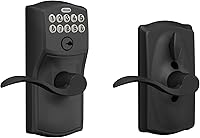
How to Recode a Kwikset Smart Lock
How to recode a Kwikset smart lock: enter your programming code, then add, edit or delete user codes on the keypad. The programming code is the master code that lets you change every user code without taking the lock apart.
On this page (8 sections)
- What do you need before you recode a Kwikset lock?
- Where do you find the programming code?
- How to recode a Kwikset smart lock on the keypad
- How do you add a new user code?
- How do you delete a code you no longer want?
- What are the most common recoding mistakes?
- How do you recover a lock when the programming code is lost?
- When should you recode, and who should know the programming code?
Here's how to recode a Kwikset smart lock: enter the programming code, then add, edit or delete user codes on the keypad. The programming code is the master that controls every user code, so the whole job happens at the door in a minute or two.
The exact button sequence differs slightly between models, but the logic is the same on every Kwikset keypad lock. Once you know the order, recoding becomes a routine task you can do whenever a tenant moves out or a guest hands back a key.
What do you need before you recode a Kwikset lock?
You need the programming code, a list of the codes you want to keep, and working batteries. Kwikset keypad locks run on 4 AA alkaline batteries, and a weak battery can drop a code change partway through.
Find the programming code before you touch the keypad. It ships with the lock and is often printed on a sticker inside the battery cover, which is why it's worth writing down somewhere safe now.
Both the Powerbolt 250 and the SmartCode 270 also come with standard KW1 keys, so you still have a physical way in if the electronics ever misbehave.
The Powerbolt 250 uses 1 programming code plus up to 25 user codes and 5 one-time codes. The SmartCode 270 doubles that to 50 user codes and 10 one-time codes, which suits rentals and larger households.
The Halo Wi-Fi goes further with up to 250 access codes handled through the app.
Check that the keypad lights when you tap it. If the lights are dim, replace the batteries first; Kwikset rates both locks for at least 12 months of battery life, so a sudden drop usually means the cells are done.
Where do you find the programming code?
The programming code ships with the lock and is set at the factory, so you likely already have it on the installation guide or a label under the battery cover. If you installed the lock, you chose this code during setup.
On app-connected locks, the programming code and the app password are separate things. The app can share and revoke codes, but the keypad still respects the programming code for on-the-door changes.
Write the programming code down and store it away from the door. Keeping it inside the house rather than on a note near the keypad means a stranger can't read it and rewrite your codes.
A locked drawer or a password manager both work.
The programming code is also what lets you edit a single user code without touching the rest. On the two keypad models, this one code controls every add, delete and edit, so treat it as the key to the whole lock.
How to recode a Kwikset smart lock on the keypad
Enter the programming code, follow the lock's prompts, then key in the new user code twice. The lock confirms with a beep or a light flash when the code is saved.
The pattern below covers the three current models. Press the buttons firmly and wait for each confirmation before the next step, because a rushed entry is the most common reason a new code fails to save.
On both keypad models the buttons are backlit, so a quick change after dark is no harder than one at noon.
Step by step on the Powerbolt 250
- Wake the keypad with a tap so the LED lights come on.
- Enter the programming code, then the add-code sequence.
- Type the new user code and press the lock button to confirm.
- Repeat for each code you want to add.
- Lock and open with the new code to prove it saved.
The Powerbolt 250 has 10 backlit buttons, so entering a code at night is simple. After 3 wrong tries the lock sounds an alarm and disables the keypad for 1 minute, so slow down if it beeps at you.
That short lockout is a good reason to keep the programming code written down rather than guessing at it.
Step by step on the SmartCode 270
The SmartCode 270 works the same way but holds more codes. Enter the programming code, choose add or delete, then enter the user code.
Its Grade 2 BHMA rating makes it the tougher of the two keypad locks, which suits a front door that takes a lot of traffic. Both locks support Auto-Lock, so the door can relock itself every 30 seconds to 10 minutes after you set that up.
Step by step on the Halo Wi-Fi
On the Halo Wi-Fi, you can recode from the touchscreen or through the Kwikset app. The keypad route uses the programming code; the app route lets you share temporary, scheduled or permanent codes with up to 250 access codes in total.
The app also shows an activity history and sends a notification when someone enters an invalid code or tampers with the lock. That matters after a recode, because you can see straight away whether the old code was actually removed.
If you're still mounting a new one, our walkthrough of how to install a Kwikset Halo smart lock covers the hardware before you get to code setup.
How do you add a new user code?
To add a user code, run the programming code, enter the add-code command, then type the new code and confirm it. Give each person their own code so you can delete one without touching the others.
Keep a written list that pairs each code with a name. When someone moves out, you delete that single entry and the rest of the household keeps working.
One-time codes are handy for a cleaner, a delivery or a short-term guest. The Powerbolt 250 gives you 5 and the SmartCode 270 gives you 10, and each one stops working after a single use.
That makes them the safest option for anyone you don't want holding a permanent code.
How do you delete a code you no longer want?
Deleting works in reverse: enter the programming code, choose delete, then key in the code you want to remove. The lock confirms once the code is gone.
Delete the old code before you add the replacement, so you never end up with two codes for one person. Keep the master programming code out of every user entry.
After deleting, test the old code a few feet from the door. A code that still works means the delete sequence didn't finish, so run it again.
On the Halo Wi-Fi you can also check the app's event log to confirm the code no longer appears.
What are the most common recoding mistakes?
The most common mistakes are a mistyped programming code, a flat battery, and codes that are too short or too similar. All three are easy to fix at the keypad.
- A code that beeps twice usually means the entry timed out, so start over.
- Reusing the same digits for every guest code makes deletion confusing.
- Skipping the test step leaves an old code live longer than you think.
- Letting the keypad sit dark means the batteries need replacing first.
The 1-minute keypad lockout after 3 wrong tries catches people mid-recode more than any other single issue. If the buttons go dead, wait out the minute and re-enter the steps slowly rather than hammering the keypad.
How do you recover a lock when the programming code is lost?
If the programming code is gone, the lock has to be reset to factory defaults, which wipes every code. Plan the reset when you have a few minutes, then rebuild the code list from scratch.
The reset procedure differs by model, so follow the steps in the lock's own guide. After the reset, set a fresh programming code first, then add user codes one at a time and write each one down.
This is also the moment to think about your next lock. If you change tenants often, a cheap smart lock with simple keypad coding does the job without an app.
If you want a lever rather than a deadbolt, a smart door handle lock keeps the same coding logic. And if you're choosing between models, our guide to the best Kwikset smart lock compares the lineup before you buy.
When should you recode, and who should know the programming code?
Recode when a tenant moves out, a guest returns a key, a code was shared too widely, or a worker finishes a job. A fresh code every time someone leaves is the simplest habit to keep.
Only the person who runs the lock should hold the programming code. Keep that list separate from the user codes, and update both after any change so the record matches the door.
Vacation Mode is worth a mention here too. On the Powerbolt 250 and SmartCode 270 it temporarily disables the keypad so no user code works while you're away, and it's the right step if you're leaving town and don't want to delete codes you'll need again later.
For most homes, the SmartCode 270 is the easy pick because its 50-code capacity covers family, guests and help without running out. Pick the Powerbolt 250 if 25 codes is plenty, and the Halo Wi-Fi if you want to change a code from your phone while you're away.
The steps above are the whole job: answer in a minute, test at the door, and write it down.
Frequently asked questions
What is the difference between a programming code and a user code?
The programming code is the master code that opens code editing, so only the person who runs the lock should know it. A user code is any code you give to family, a guest or a renter, and it can be added or deleted at any time.
How many codes can a Kwikset keypad lock hold?
The Powerbolt 250 stores up to 25 user codes plus 5 one-time codes, and the SmartCode 270 holds up to 50 user codes plus 10 one-time codes. The Halo Wi-Fi supports up to 250 access codes shared through the Kwikset app.
Can I recode a Kwikset lock if I forgot the programming code?
If the programming code is lost, the lock has to be reset, which clears all codes and puts it back to factory defaults. After the reset, set a new programming code first, then rebuild your user codes from a written list.
Do I need the app to change codes on a Halo Wi-Fi lock?
No. You can change codes on the keypad using the programming code, and the Kwikset app gives you the same job plus temporary and scheduled codes.
The keypad route is faster for a quick change on the spot.