How to Reset a Veise Fingerprint Door Lock
To reset a Veise fingerprint door lock, delete old fingerprints and codes from the admin menu, or run a full factory reset by holding the reset button until the lock confirms. Re-add your master code and fingerprints afterward.
On this page (8 sections)
- What is the difference between deleting users and a full reset?
- How to reset a Veise fingerprint door lock from the admin menu
- How do you do a full factory reset on a Veise lock?
- How do you set up the lock again after the reset?
- Why won't the lock accept the reset or a new finger?
- Which locks handle resets and user management more easily?
- When should you reset instead of calling support?
- What should you do right before and after resetting?
To reset a Veise fingerprint door lock, delete the old fingerprints and codes from the admin menu, or hold the reset button for a full factory reset. Either way, you re-add a master code and fresh fingerprints afterward.
The reset clears the lock's memory of users, so the job only takes a few minutes once you know the menu order.
The most common reason to reset a Veise fingerprint door lock is a change of household. Old fingers or shared codes shouldn't keep working, and the lock's admin menu is where you remove them.
A factory reset goes further and wipes every credential at once.
What is the difference between deleting users and a full reset?
Deleting a user removes one fingerprint or code; a factory reset clears everything. Choose deletion when one person moves out.
Choose the full reset when you've lost the admin code or bought the lock secondhand.
The admin menu on a Veise lock walks you through each stored slot. You pick a number and confirm the delete, and the lock beeps or flashes to show the slot is empty.
Nothing else changes, so other fingers keep working.
A factory reset returns the keypad to its shipped state. Every fingerprint, passcode and admin code disappears, and the lock usually drops into a setup mode.
You'll set a new admin code before any finger works again.
If the admin code itself is the problem, deletion won't help, because the menu won't open without it. Go straight to the factory reset.
How to reset a Veise fingerprint door lock from the admin menu
Open the admin menu with the current master code, then delete the fingerprints and codes you no longer want. This is the cleanest method when you still have admin access.
The steps below follow the usual Veise keypad pattern. Read your model's paper guide for its exact key presses and beep confirmations, since codes and touch layouts differ between models.
- Wake the keypad and enter the admin code, then press the admin key if your model needs it.
- Follow the voice or light prompts to reach the user management option.
- Choose the delete option and select the slot number or finger you want removed.
- Repeat for each old fingerprint and passcode.
- Exit the menu and test with a finger you kept.
Keep a written note of slot numbers as you clear them. A blank slot is easier to reuse than a slot you think is empty but isn't.
How do you clear every fingerprint without a factory reset?
Step into the menu's delete-all option and confirm when the lock asks. Veise locks usually offer a bulk clear that empties all fingerprint slots while keeping your admin code.
This suits a landlord turning over an apartment or a family that wants a clean start but still trusts the admin code. Codes stored in separate keypad slots may need clearing one at a time.
Test one finger afterward. If the lock still opens on a finger you thought was gone, the delete didn't land and you should repeat the slot.
How do you do a full factory reset on a Veise lock?
Hold the reset button on the interior assembly until the lock signals a reset, then release it. The button sits on the inside half of the lock, under the battery cover on most Veise models.
With the inner cover off, find the small button near the batteries. It's often labeled Reset or marked with a tiny hole.
Use a paperclip or the tip of a pen so you don't damage the switch.
Press and hold for about 5 seconds, or until the lock beeps and the keypad lights flash. Release, then wait for the lock to finish.
Some models ask you to confirm on the keypad or in the app.
If nothing happens, check the batteries first. A weak cell can stop the reset from completing, so fit fresh AA cells before you try again.
Our explainer on how an electronic door lock works covers why the electronics need steady power.
What happens right after the factory reset?
The lock returns to setup mode and waits for a new admin code. Until you enter one, the keypad won't accept fingerprints, so don't walk away without finishing.
Enter your chosen master code twice when prompted, then add at least one fingerprint. Keep a physical key with you until a finger opens the door reliably.
If the lock offers app pairing, do that now. Pairing before you add users keeps the app and the keypad in step.
Our walkthrough on how to program a Veise fingerprint door lock picks up at this point.
How do you set up the lock again after the reset?
Set the admin code, enroll two fingers per person, and add guest codes last. Doing it in that order means the admin always has a way in.
Enroll each finger twice on different angles so a wet or scraped fingertip still reads. Press flat and hold still until the lock confirms.
Avoid enrolling the same finger in several slots, which wastes memory.
Add family fingerprints next, then temporary codes for guests or cleaners. Give each person their own slot so you can remove one without touching the others.
Label the slots in your notes: slot 1 for the admin finger, slot 2 for the spouse, slot 3 for the dog sitter. That note saves a second reset later.
Why won't the lock accept the reset or a new finger?
Check the batteries, the master code and the sensor surface before trying again. Most failed resets come down to power or a wrong code, not a broken lock.
A weak battery is the most common culprit. Replace all cells at once rather than mixing old and new, and listen for the low-battery warning the lock gives.
If the keypad ignores your master code, the code was changed and forgotten. A factory reset clears it.
If the reset button does nothing, make sure you're holding it long enough and that the inner cover is fully off the button.
A dirty sensor also refuses good fingers. Wipe it with a dry cloth.
If your finger is very dry, breathe on it before pressing. When the lock beeps but won't save a finger, enroll a different finger and see whether the slot is the issue.
Which locks handle resets and user management more easily?
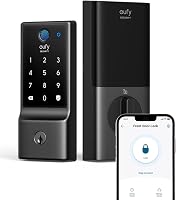
A lock with app-based user management saves you the keypad routine. The eufy C220 lets you create, delete and disable codes and fingerprints from the eufy Security app, and it stores up to 50 fingerprints and 100 passcodes.
That's a simpler reset when a tenant leaves than stepping through a keypad menu.
The Wyze Lock Bolt v2 offers the same kind of control through the Wyze app. It stores up to 50 codes or fingerprints and pairs with a Wyze Video Doorbell for visual checks.
Its USB-C port also powers the lock if the batteries die mid-job.
For a smaller door or an interior room, the DESLOC D212 smart knob covers fingerprints and passcodes in the app too. It holds up to 50 fingerprints and 100 passcodes and fits bedrooms and side entries as well as front doors.
Compare the wider field in our guide to the best smart door handle locks if you're shopping rather than resetting.
When should you reset instead of calling support?
Reset first for a change of users, a lost admin code or a lock stuck in an old setup. Save the support call for hardware faults that survive a fresh battery and a clean reset.
A dead keypad, a motor that won't turn or a lock that ignores every finger after reset are hardware signs. Contact the maker's support with your model number and the steps you tried.
Keep the mechanical key in your bag or with a trusted neighbor during any reset. A reset can leave the lock closed on the door side, and the key is your way in until credentials are rebuilt.
What should you do right before and after resetting?
Note your current codes and keep a key handy, then finish setup in one sitting. A reset wipes credentials, so plan it for a moment when someone is home.
Delete old users rather than resetting when you can, and save the factory reset for lost codes or a secondhand lock. Read the model's guide for its button location and key presses, because Veise layouts vary by model.
Afterward, set the admin code, enroll fingers twice each and add guest codes last. Then test the lock from outside before you shut the door.
For the full programming order, use our Veise programming guide, and read how to choose a keyless door lock if the next step is buying a replacement.
Frequently asked questions
Does a factory reset erase my fingerprints and passcodes?
Yes. A full factory reset wipes every stored fingerprint, passcode and user slot, and the lock goes back to its out-of-box master state.
You then set a new admin code and enroll your fingers from scratch, so have the paper guide nearby.
Do I need to remove the lock from the door to reset it?
No. The reset button sits on the interior assembly on Veise locks, so you can reach it with the inner cover off while the lock stays mounted.
Only remove the lock if the button is behind a housing your model's guide tells you to open.
Why won't the lock accept a new fingerprint after resetting?
Wet, dirty or dry skin gives a weak scan, so wipe the sensor and your finger and try again with a firm, flat press. If the lock still refuses, set the admin code first and enroll one finger at a time.
How long does a reset take, and does it keep the lock locked?
A menu deletion takes under a minute, while a factory reset takes a minute or two plus setup. The lock stays locked on the door side, and you get in with a physical key or the keypad until you add credentials again.