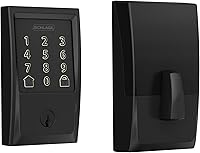
How to Open a Keyless Door Lock
To open a keyless door lock, enter your code on the keypad and press the open or checkmark key if the lock has one. If the keypad is dead or the code fails, use the key in the keyway on the exterior side.
On this page (8 sections)
- How do you unlock a keyless door lock with a code?
- Why won't my keyless door lock open with the code?
- How do you unlock a keyless door lock when the battery is dead?
- What do you do if the keypad works but the door still won't open?
- How do you unlock a keyless door lock from the inside?
- How do you stop a keyless lock from locking you out?
- What should you check before you rely on a keyless lock?
- How do you pick a keyless lock that won't lock you out?
To open a keyless door lock, type your code on the keypad and press the open or checkmark key if your lock uses one. When the keypad is unresponsive or the code is rejected, turn the key in the keyway on the outside of the lock and open the door as you would with a standard deadbolt.
Keyless locks are meant to remove the key from everyday use, not from your backup plan. Learning both routes, the code and the physical key, is how you avoid getting stuck on your own porch.
How do you unlock a keyless door lock with a code?
Enter your user code on the keypad and wait for the lock to move. On most keypad deadbolts the bolt retracts on its own once the code is accepted, then you turn the knob or handle.
The order matters. Tap the keypad to wake it if the buttons are dark, key in the digits, then press the open button when the lock has one.
A light flash or a click tells you the code went through.
Some locks lock themselves again after a set delay. The Kwikset Powerbolt 250 lets you set Auto Lock to 30 sec, 1 min, 3 min, 5 min or 10 min, so close the door before the timer runs out.
If the keypad doesn't respond to your first tap, press a digit to wake it. Battery-powered keypads sleep to save power, so a silent pad isn't always a dead one.
Why won't my keyless door lock open with the code?
Most code failures are a mistyped digit, a code that was deleted, or a keypad in a locked-out state. Check those three before you assume the lock is broken.
A keypad that locked itself after repeated errors needs a short pause. On the Kwikset models in this guide, 3 wrong codes in a row trigger an alarm and disable the keypad for 1 min.
Waiting is faster than fighting it.
Codes also disappear when someone re-programs the lock. If you added a guest code and later deleted it, or reset the lock, the old code won't work.
The programming code is what lets you edit or delete user codes later.
Cold weather and dirty keys are the other common causes. Wipe the keypad with a dry cloth if it feels sticky, and press each digit firmly rather than jabbing at the buttons.
How do you unlock a keyless door lock when the battery is dead?
Use the key. Every Kwikset keypad deadbolt here includes 2 Kwikset keys and a mechanical keyway, so a dead battery slows you down but doesn't shut you out.
The keyway is usually hidden under a small cover on the front of the lock. Slide or pry the cover off, insert the key, and turn it like any deadbolt.
Kwikset's SmartKey system lets you re-key the lock to any KW1 key yourself, which is handy if you want the door key to match the rest of the house.
Replace the batteries once you're inside. These locks run on 4x AA alkaline batteries, and the maker rates battery life at 12 months or more.
Keep a spare set in a drawer near the door so a low battery never catches you out.
If the key turns but the bolt sticks, the door may have swollen or shifted. That's a fit problem rather than a lock problem, and how to measure door backset helps you check the alignment before you adjust anything.
What do you do if the keypad works but the door still won't open?
Look at the bolt, not the keypad. If the lights respond and the motor runs but the door stays shut, the deadbolt is probably binding against the strike plate.
Try turning the interior thumbturn by hand while pulling the door toward you. A door that has swollen in damp weather can grip the bolt even when the lock has retracted it.
Check that nothing is caught in the gap between the door and the frame. A loose hinge screw or a sagging door changes the alignment, and the bolt catches on the edge of the strike.
If the keypad accepts the code but the motor sounds weak, the batteries are the first thing to swap. Fresh AA cells fix more sluggish locks than any other single step.
How do you unlock a keyless door lock from the inside?
Turn the interior thumbturn by hand. Inside the door, most keyless deadbolts open with a plain thumbturn and no code at all, so you can always get out.
That's a safety feature, not an oversight. A code-only interior side would be a hazard in a fire, so the inside stays mechanical.
Keep the area around the door clear so the thumbturn is easy to reach in the dark.
Some locks also have a one-touch lock button on the inside that throws the bolt without a code. The Kwikset SmartCode 270 and 260 both list one-touch locking among their features.
Teach everyone in the house where the thumbturn is and how it turns. Guests who only ever use the keypad can still be briefed in a few seconds.
How do you stop a keyless lock from locking you out?
Set a code you'll remember, keep the key within reach, and change the batteries on a schedule. These three habits cover almost every lockout.
Use a code that isn't your birthday or street number. If the lock offers one-time codes, give those to visitors instead of your main code.
The Powerbolt 250 allows 5 one-time codes, and the SmartCode 270 and 260 allow 10.
Keep the mechanical key somewhere you can reach when you're locked out, such as a key safe or a neighbor's house. Don't leave it under the mat.
Replace the batteries once a year, or sooner if the keypad dims or beeps. A 12-month rating is a guide, not a promise, and cold weather drains cells faster.
If you're away for a while, turn on Vacation Mode. It disables the keypad so nobody can operate the lock while the house is empty, and you switch it off when you return.
Before you rely on any of this, read are keyless door locks safe for the full security picture.
Which Kwikset fits a simple code-and-key setup?
The Kwikset Powerbolt 250 is the most affordable of the three and covers the basics: a 10-button light-up keypad, up to 25 user codes, Auto Lock and Vacation Mode.
Its intrusion alert sounds an alarm and disables the keypad for 1 min after 3 wrong codes. That's the pause that stops someone guessing at your door.
It uses 4x AA batteries, rated for at least 12 months, and installs with just a screwdriver. Choose it if you want keypad entry without paying for touchscreen features you won't use.
Which Kwikset suits a busy household?
The Kwikset SmartCode 270 takes the most codes of the three: 50 user codes, 10 one-time codes and 1 programming code. It also carries Grade 2 BHMA certification, which the maker says is up to 2.5x stronger than Grade 3 locks.
The touchpad lights up when you tap it, so night entry doesn't need a porch light. Auto Lock runs on the same 30 sec to 10 min schedule as the Powerbolt.
Choose it if several people, a renter or a cleaner need their own code and you want the stronger certification. For a cheaper keypad-only option, the SmartCode 260 covers the same code count in a round design.
What should you check before you rely on a keyless lock?
Test the code, the key and the thumbturn on the same day you install it. A lock that only works one way is a lock that will strand someone eventually.
Run each route once with the door open, then again with it closed. Listen for the bolt to throw fully and check that the door doesn't rub.
If the bolt drags, fix the fit before you program codes.
Check that the keyway cover moves freely and that the key turns without force. A stiff keyway is a sign of grit or a poorly seated cylinder.
Set Auto Lock only after you've tested it. A lock that re-latches while you're still on the step is a nuisance, and the shorter delays suit some doors better than others.
Compare the full feature range in our keyless door lock guide.
How do you pick a keyless lock that won't lock you out?
Buy a keypad lock with a mechanical keyway and an interior thumbturn. Those two backups mean a dead battery or a forgotten code costs you a minute, not a locksmith call.
All three Kwikset models here meet that bar. Pick the Powerbolt 250 for a budget setup with 25 codes.
Pick the SmartCode 270 for 50 codes and Grade 2 BHMA certification. Pick the SmartCode 260 for the same 50 codes in a round design with Microban protection on the hardware.
Whichever you choose, keep the key and spare batteries close. For the wider decision, our guide to how to choose a keyless door lock covers fit, finish and features before you buy.
Frequently asked questions
Can I open a keyless door lock from inside without a code?
Yes. Most keyless deadbolts have an interior thumbturn that turns by hand with no code, so anyone inside can leave without knowing a code.
That is why an interior thumbturn matters for fire safety and why you should keep the inside of the door clear.
How many tries do I get before the keypad locks me out?
Many keyless locks, including the Kwikset models here, sound an alarm and disable the keypad for about 1 min after 3 wrong codes in a row. That pause blocks guessing, so wait it out rather than keep tapping keys.
What do I do if the keypad lights come on but the door won't open?
Hold the keypad and listen for a click before turning the knob or thumbturn. If the lights flash but nothing moves, the motor or the bolt is binding, so try the key and check that the door isn't swelling against the strike.
Can I change the code without the current one?
On most keyless locks you need the programming code to change user codes. If you've lost it, look up the reset procedure for your model or ask a locksmith, since a full reset wipes every code on the lock.
Will the lock stay open if the battery dies while the door is shut?
A dead keypad doesn't open the door, but it doesn't lock you out either. The key still turns the bolt, and a deadbolt that lost power simply stays in whatever position the bolt is in.