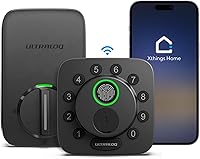
What Is a Z-Wave Smart Lock?
A Z-Wave smart lock uses Z-Wave radio to connect to a compatible smart home hub for remote control and automation. The hub and lock must work together, and many Z-Wave locks also offer keypad entry.
On this page (9 sections)
- What is a Z-Wave smart lock?
- How does a Z-Wave lock connect to your home?
- What can you do with a Z-Wave smart lock?
- Does a Z-Wave smart lock need a hub?
- What should you check before buying one?
- How is Z-Wave different from Wi-Fi?
- Are Z-Wave smart locks secure?
- Who should choose a Z-Wave smart lock?
- Is a Z-Wave smart lock right for you?
A Z-Wave smart lock uses Z-Wave radio to connect to a compatible smart home hub for remote control and automation. It may also have a keypad or another local entry method, so it can work as a door lock and as part of a connected home system.
The hub is a key part of the setup. Check that the lock works with your hub and app, and decide whether keypad entry, shared codes, or automatic locking matter most to you.
What is a Z-Wave smart lock?
A Z-Wave smart lock communicates with other smart home devices using the Z-Wave wireless protocol. In most setups, a compatible hub links the lock to an app or a wider home automation system.
That connection can let you lock or open the door remotely, check its status, or include it in routines. The options depend on the lock, hub, and system you pair them with.
A Z-Wave lock may still work locally if your internet connection is down, but remote access and automations can depend on the hub and network being available. Check the lock's instructions to learn which functions work without a connection.
For a broader look at electronic locks, see how an electronic door lock works. If you are comparing entry methods, our guide to keyless door lock types and features explains keypad and app-based options.
How does a Z-Wave lock connect to your home?
A Z-Wave lock sends short wireless messages to a compatible hub, which then connects it to your smart home app or system. Some locks support Z-Wave Long Range, which can connect directly to a compatible hub across greater distances in the home.
The hub matters because Z-Wave is not the same as Wi-Fi or Bluetooth. A lock can have Z-Wave hardware and still fail to pair with a hub that does not support its model or features.
Before choosing a lock, check:
- Whether your hub supports the lock's Z-Wave version
- Whether the lock is compatible with your alarm or smart home system
- Whether the hub can reach the door from its current location
- Which functions require the app, hub, or internet connection
The Kwikset HomeConnect 620 supports Z-Wave 700 Long Range and requires a compatible hub. It also works with Ring Alarm through a Ring Alarm smart hub.
A Z-Wave network can include other devices, depending on the hub and equipment. If you're deciding whether to add another device, read whether smart locks need a hub.
What can you do with a Z-Wave smart lock?
A Z-Wave lock can add app control and automations to a door if its hub and system support those features. Depending on the model, you may also get keypad codes, alerts, or automatic locking.
The Schlage Connect supports up to 30 access codes and can pair with a compatible Z-Wave smart home or security system. Schlage lists systems such as SmartThings and Ring Alarm as compatible options, with a hub or system sold separately.
Code sharing can help when a family member, visitor, or service person needs access. Decide how many codes you expect to manage and whether you want to add or remove them through the lock, an app, or both.
Some locks offer automatic locking, but the trigger and timing vary. The Kwikset HomeConnect 620 offers a configurable auto-lock schedule, while the Yale Assure Lock 2 can auto-lock after DoorSense detects that the door has closed.
For any lock, confirm the entry options you need if the hub or app is unavailable. A keypad, physical key, or another local method can give you a way to operate the door without remote control.
Does a Z-Wave smart lock need a hub?
Most Z-Wave smart locks need a compatible hub for app control, remote access, or smart home automations. The keypad or other local controls may work without one, but connected features depend on the hub and its compatibility.
Some locks require a specific hub for certain integrations. The Kwikset HomeConnect 620 works with Ring Alarm through a Ring Alarm smart hub.
The Yale Assure Lock 2 requires a compatible Z-Wave hub and app for remote access through a smart home or alarm system.
Before buying, check the exact model against the hub manufacturer's compatibility information. A general statement that a system supports Z-Wave does not confirm that every feature works with every lock.
Also consider the cost and space of adding a hub if you do not already own one. If you want fewer separate devices, compare the setup with Wi-Fi smart locks, which connect to a wireless network instead.
What should you check before buying one?
Check hub compatibility, door fit, entry methods, and battery needs before buying a Z-Wave lock. These details affect whether it fits your door and works with your smart home setup.
Start with your hub and app. Confirm the lock is supported and that the features you care about, such as remote locking or status checks, are available with your system.
Next, measure the door and deadbolt. The Kwikset HomeConnect 620 fits doors 1-3/8 to 2 in thick, while the Schlage Connect fits doors 1-3/8 to 1-3/4 in thick.
Check the manufacturer's instructions for backset and other fit details, too. Our guide to measuring a door for a keyless lock walks through the measurements to take.
Then compare local access methods. All three examples use a keypad, and the Yale Assure Lock 2 also supports app access and optional Auto-Open.
Think about who needs codes, whether you want a backup key, and how you will get in if the app is unavailable.
Finally, review battery type and maintenance. The Kwikset HomeConnect 620 and Schlage Connect use AA batteries.
The product data does not specify the Yale lock's battery type. For more on what affects replacement timing, see how long smart lock batteries last.
How is Z-Wave different from Wi-Fi?
Z-Wave locks connect to a compatible hub, while Wi-Fi locks connect to a wireless network. That difference affects setup, compatibility, and how each lock fits with the devices you already use.
A Z-Wave setup can suit you if you already use a compatible hub or want the lock to work alongside other Z-Wave devices. It also means you need to check hub support and placement.
A Wi-Fi lock may suit a home where direct app access over the wireless network is the priority. Its features depend on the maker's app and supported services.
Neither connection type automatically makes a lock more secure or easier to use. Compare the specific lock's access methods, required equipment, and system compatibility.
Our Z-Wave vs Wi-Fi smart lock comparison covers those tradeoffs in more detail.
Are Z-Wave smart locks secure?
A Z-Wave connection alone does not tell you how secure the entire lock is. Look at the lock's physical security, connection security, and the way its app and hub handle access.
The Kwikset HomeConnect 620 and Schlage Connect specify S2 encryption. Schlage Connect has a built-in alarm and an ANSI/BHMA Grade 1 rating, while the Kwikset HomeConnect 620 is Grade 2 BHMA certified.
Those features describe different parts of security. A certification does not guarantee that a lock suits every door, and encryption does not replace strong account passwords or careful code sharing.
Use unique access codes, remove codes when they are no longer needed, and keep the lock's app and hub software current. For more on entry risks and everyday precautions, read are keyless door locks safe to use?.
Who should choose a Z-Wave smart lock?
A Z-Wave smart lock makes sense if you have, or plan to add, a compatible hub and want the lock connected to your smart home system. It can fit when remote access, shared codes, or automation matter alongside keypad entry.
Choose a model based on your setup. The Kwikset HomeConnect 620 may suit you if Ring Alarm compatibility and long-range Z-Wave are useful.
The Schlage Connect offers up to 30 codes and a built-in alarm. The Yale Assure Lock 2 offers unlimited shared codes and DoorSense-based auto-lock.
If you do not want a hub, check the product requirements before buying. Compare Z-Wave models in our guide to the best Z-Wave smart locks and review what Matter means for smart locks if cross-brand compatibility is part of your decision.
Is a Z-Wave smart lock right for you?
A Z-Wave smart lock can suit you when your hub supports it and you want app control or automation with keypad access. If you do not own a compatible hub, include that requirement in your decision before choosing a model.
Check door fit, backup entry options, code limits, and the features that work with your specific hub. Then compare Z-Wave with Wi-Fi or Matter options based on the system you want to use.
For a model shortlist, start with the best Z-Wave smart locks, or compare connection types in our Z-Wave vs Wi-Fi guide.
Frequently asked questions
What is a Z-Wave smart lock?
A Z-Wave smart lock is an electronic lock that uses Z-Wave radio to communicate with a compatible hub. The hub can connect the lock to an app or smart home system for remote control and automation.
Check that your lock, hub, and preferred system are compatible before you buy.
Does a Z-Wave smart lock need a hub?
Usually, yes, if you want to control it through a smart home app or use it in automations. The lock may still offer local keypad access, but remote features depend on a compatible hub and system.
Check which hub the lock requires and whether you already own one.
Is Z-Wave better than Wi-Fi for a smart lock?
Neither is best for every home. Z-Wave generally connects a lock through a compatible hub, while Wi-Fi locks connect to a wireless network.
Your choice depends on the systems you already use, hub requirements, and the connection features you want.
Compare the setup before choosing.
Can a Z-Wave lock work with Ring?
Some Z-Wave locks work with Ring Alarm, but compatibility depends on the lock and Ring hub. For example, Kwikset HomeConnect 620 requires a Ring Alarm smart hub for control through Ring Alarm.
Confirm the exact lock and hub pairing before you buy.