9 Best Cheap Smart Locks (October 2026)
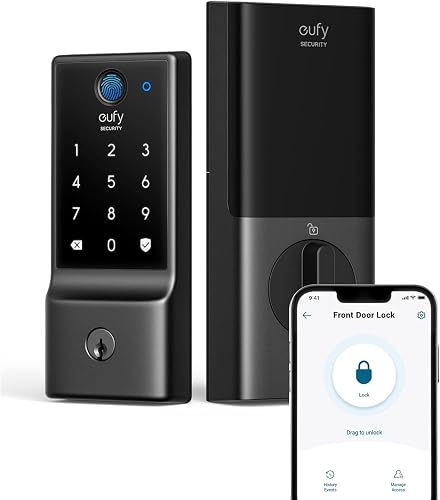
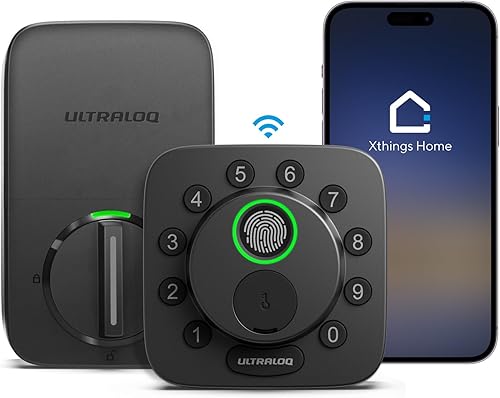
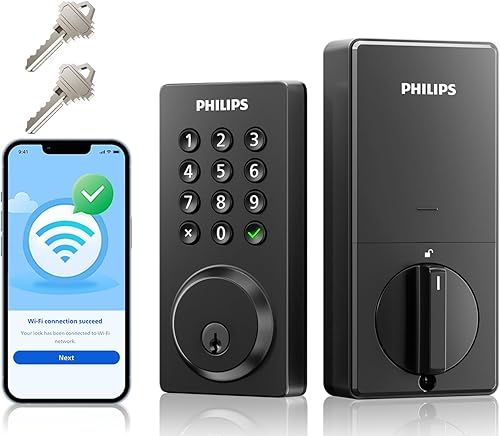
The best budget smart locks include the Philips Wi-Fi Smart Deadbolt for flexible entry methods, the eufy C220 for rainy entry doors, and the Ultraloq Bolt SE for Matter homes.
On this page (5 sections)
The Philips Wi-Fi Smart Deadbolt is the best cheap smart lock for most homes, because it combines fingerprint, passcode, app, key and voice access with built-in Wi-Fi. If battery life is a priority, consider the eufy C220; if you already have a compatible Thread Border Router, the Ultraloq Bolt SE adds Matter over Thread.
A budget smart lock should solve a daily access problem without adding a hub, battery routine or door-fit headache you didn't expect. We compared nine locks by their access options, remote features, battery plans and fit information.
Start by deciding how you want to enter. A fingerprint reader speeds up entry for residents, while a keypad gives guests a code and a physical key offers a familiar backup.
Remote app control is useful when you want to manage access while away, but it depends on the lock's network setup.
For a keypad-first option, see our best keypad deadbolts. If you're weighing app control against a simpler code lock, our smart lock versus keypad lock comparison explains the everyday tradeoffs.
Our picks at a glance
-
1

-
2
-
3
How we chose these cheap smart locks
The best cheap smart locks combine useful access methods with a clear setup and power plan. We compared the stated access options, network requirements, battery information, door fit, and any published water-resistance or certification details.
A low-cost lock can still have features that matter, such as guest codes, built-in Wi-Fi or a backup key. Those features are useful only if they match your door and routine, so the picks cover several entry styles instead of assuming every buyer wants the same setup.
The scores reflect how each lock's features fit the needs of someone shopping for a budget smart lock. A lower score can still be a better match for a specific situation, such as wanting a rechargeable battery or door status alerts.
| Product | Best for | Access methods | Connectivity | Door thickness | Our score |
|---|---|---|---|---|---|
| Philips Wi-Fi Smart Deadbolt | flexible entry methods | Fingerprint, passcode, app, key, voice | Built-in Wi-Fi, 2.4 GHz | 1-3/8 to 2 in | 8.7 |
| eufy C220 | rainy entry doors | Fingerprint, app, keypad, key, Apple Watch, voice | 8.6 | ||
| Ultraloq Bolt SE | Matter homes | Fingerprint, passcode, app, web portal, eKey, voice, key | 8.5 | ||
| Wyze Lock Bolt v2 | backup power | Fingerprint, app, code, key | 8.3 | ||
| Tapo DL110 | rechargeable power | Fingerprint, passcode, Wi-Fi app, Bluetooth, voice, key | 7.9 | ||
| Philips Wi-Fi Smart Lock | tactile keypads | Key, passcode, app, voice | Built-in Wi-Fi | 7.9 | |
| Ultraloq U-Bolt | open-door alerts | Passcode, app, auto-unlock, eKey, voice, key | 7.8 | ||
| Philips Wi-Fi Fingerprint Lock | guest access codes | Fingerprint, PIN, app, voice, key | 1-3/8 to 2 in | 7.6 | |
| DESLOC D212 | knob-style entry | Fingerprint, passcode, app, key | 7.2 |
Which cheap smart lock fits your entry?
The Philips Wi-Fi Smart Deadbolt is the strongest all-around choice here because it supports several ways to enter and remote access without an extra hub. The other picks are better for narrower needs, including battery preferences, Matter equipment, tactile buttons, door alerts or a knob format.
Philips Wi-Fi Smart Deadbolt: Best for flexible entry methods
- Built-in Wi-Fi
- Fingerprint, passcode, app, key and voice access
- Up to 100 custom passcodes
- Auto-lock timer from 10 to 180 seconds
Several entry methods and built-in Wi-Fi give this deadbolt broad everyday flexibility. It also supports scheduled and one-time codes, though batteries are sold separately.
Pros
- Five access methods
- No hub needed for remote control
- Up to 100 custom passcodes
Cons
- AA alkaline batteries sold separately
- No door sensor
The Philips Wi-Fi Smart Deadbolt has fingerprint, passcode, app, physical key and voice access. Built-in 2.4 GHz Wi-Fi enables remote lock and open through a phone without an extra hub.
You can create up to 100 custom passcodes and share one-time or scheduled codes. Its auto-lock timer adjusts from 10 to 180 seconds, and Away Mode disables opening methods other than the master code.
The lock fits doors from 1-3/8 to 2 inches thick, and Philips recommends keeping the router within 65 ft for better remote control. Batteries aren't included, and the lock has no door sensor.
Choose it if one deadbolt needs to serve family members who prefer different entry methods. Measure your door with our keyless lock measuring guide before ordering, and plan for AA alkaline batteries.
eufy C220: Best for rainy entry doors
- Built-in Wi-Fi
- Fingerprint, app, keypad, key, Apple Watch and voice access
- Around 8 months from 8 AA batteries
- IP53 water resistance
The C220 combines built-in Wi-Fi with six access methods and an around-8-month battery estimate. Its IP53 rating is a useful point of comparison for buyers considering exposure to wet weather.
Pros
- Six access methods
- Built-in Wi-Fi without a bridge
- BHMA Grade 3 certified
Cons
- Battery life varies with use
- Cannot be rekeyed
The eufy C220 combines fingerprint access and built-in Wi-Fi without a separate bridge. It offers six methods: fingerprint, app, keypad, physical key, Apple Watch and voice assistant.
eufy estimates around 8 months from 8 AA batteries, with actual life depending on use. The lock has an IP53 rating and BHMA Grade 3 certification.
It integrates with the eufy ecosystem, so a compatible eufy doorbell can be added to routines in the app. The C220 fits most standard deadbolts, and its spacer can be removed for bores under 54 mm.
Choose it if you want a broad set of entry methods and the stated water-resistance rating suits your door's exposure. Skip it if you need to rekey a lock to match existing keys.
This model cannot be rekeyed. Our smart lock battery life guide explains why real battery life varies.
Ultraloq Bolt SE: Best for Matter homes
- Built-in Wi-Fi
- Matter over Thread support
- Up to 50 fingerprints and 50 access codes
- Up to 18 months battery life
Bolt SE pairs built-in Wi-Fi with Matter over Thread support for buyers planning a compatible smart home. Remote access through Matter requires a Thread Border Router.
Pros
- Many access methods
- Up to 50 fingerprints and codes
- IP65 water resistance
Cons
- Matter over Thread needs a compatible hub
- Batteries not included
The Ultraloq Bolt SE combines built-in Wi-Fi with Matter over Thread support. Its access methods include fingerprint, passcode, app, web portal, eKey sharing, voice control and mechanical keys.
The lock supports up to 50 fingerprints and 50 access codes, with permanent, scheduled and temporary sharing options. Its battery estimate is up to 18 months, and it has an IP65 rating.
Matter over Thread remote access requires a compatible Matter over Thread hub, also called a Thread Border Router. Built-in Wi-Fi is included too, so consider which connection and app experience you intend to use before buying.
Choose Bolt SE if your smart home has, or will include, the required Thread equipment. Skip it if you don't want another hub or don't plan to use Matter.
Read our Matter smart lock guide to understand what the standard adds.
Wyze Lock Bolt v2: Best for backup power

- Built-in Wi-Fi
- Fingerprint, app, code and key access
- Includes 8 AA batteries
- USB-C emergency power
Wyze combines built-in Wi-Fi with fingerprint and code access, plus a USB-C port that can power the lock with a common power bank if the batteries die.
Pros
- USB-C emergency power
- Includes 8 AA batteries
- Built-in Wi-Fi
Cons
- Battery life is an estimate
- Remote control depends on Wi-Fi
The Wyze Lock Bolt v2 pairs fingerprint entry with built-in Wi-Fi, keypad codes and a physical key. Its fingerprint scanner is described as opening in 0.5 seconds, and the lock includes 8 AA batteries.
Wyze estimates up to 8 months of battery life. If the batteries run out, a common power bank can supply emergency power through the USB-C port.
The lock has an IP53 rating and BHMA Grade 2 certification. When paired with a Wyze video doorbell, you can open it from the live feed after checking a visitor.
Choose it if you'd like emergency power from a power bank and remote app control. Skip it if you want an included door sensor or a battery that you can recharge instead of replace.
Tapo DL110: Best for rechargeable power

- Built-in Wi-Fi
- Six access methods
- Removable rechargeable battery
- Up to 1 year battery life
The DL110 offers Wi-Fi access and a removable rechargeable battery, with an up-to-1-year estimate. It also supports one-time and scheduled guest codes.
Pros
- Rechargeable battery
- Up to 100 fingerprints
- Six access methods
Cons
- Battery estimate depends on use and settings
- Fingerprint storage details aren't included here
The Tapo DL110 has a removable rechargeable battery and six access methods: fingerprint, passcode, Wi-Fi app, Bluetooth, voice assistant and backup key. It supports permanent resident codes and one-time or scheduled guest codes.
Tapo estimates up to 1 year of battery life, though settings, router and usage can affect the result. The fingerprint reader stores up to 100 fingerprints, and the lock has an auto-lock feature.
The DL110 uses Wi-Fi for remote management and Bluetooth for close-range access. If you prefer charging a battery instead of keeping spare AA cells, that distinction may simplify your routine.
Choose it if rechargeable power and guest-code flexibility are priorities. Skip it if you want a published count for how many passcodes it stores, since that detail isn't specified here.
Check how you'll remove and recharge the battery before installing the lock.
Philips Wi-Fi Smart Lock: Best for tactile keypads
- Built-in Wi-Fi
- Key, passcode, app and voice access
- Up to 100 custom passwords
- Auto-lock timer from 10 to 180 seconds
Physical keypad buttons, built-in Wi-Fi and several code types make this a straightforward option for app-based access without fingerprint entry.
Pros
- Physical keypad buttons
- Up to 100 custom passwords
- Remote app control
Cons
- AA batteries sold separately
- No fingerprint access
The Philips Wi-Fi Smart Lock has physical keypad buttons, plus key, app and voice access. It connects directly to home Wi-Fi for remote control, notifications and an event history.
The lock supports up to 100 custom passwords, including permanent, one-time and timed options. Its auto-lock setting runs from 10 to 180 seconds, and Philips estimates up to 6 months from 8 AA batteries when used 20 to 30 times a day.
This model does not offer fingerprint entry. It may suit you if you prefer physical buttons and want separate codes for family or visitors.
Choose it for physical-button operation and remote code management. Skip it if fingerprint entry is important, or if you don't want to buy AA batteries separately.
Ultraloq U-Bolt: Best for open-door alerts

- Built-in Wi-Fi
- Included door sensor
- Up to 50 custom passcodes
- ANSI/BHMA Grade 1 certified
The U-Bolt includes a door sensor for checking door status and receiving open-door alerts. It supports remote access without an extra bridge.
Pros
- Door sensor included
- ANSI/BHMA Grade 1 certified
- Built-in Wi-Fi
Cons
- Supports 2.4 GHz Wi-Fi only
- Battery life varies with use
The Ultraloq U-Bolt is a deadbolt with door status checks and remote access. Its included sensor can help you check whether the door is open and receive alerts if it's left open.
Access methods include passcode, app, auto-open, shared eKey, voice assistant and mechanical key. You can create up to 50 codes, including one-time or scheduled access, and its built-in Wi-Fi doesn't require an extra bridge.
The U-Bolt is ANSI/BHMA Grade 1 certified and rated IP65. It uses 2.4 GHz Wi-Fi, and Ultraloq recommends keeping the router within 70 ft for best connectivity.
Choose it when checking whether the door is open matters more than fingerprint entry. Skip it if a fingerprint reader is essential.
Our guide to smart lock hubs explains which remote features can work without extra hardware.
Philips Wi-Fi Fingerprint Lock: Best for guest access codes

- Built-in 2.4 GHz Wi-Fi
- Fingerprint, PIN, app, voice and key access
- Up to 50 fingerprints
- Up to 100 smart passcodes
This Philips deadbolt pairs fingerprint entry with temporary and scheduled passcodes. Its direct Wi-Fi connection supports remote control without a hub.
Pros
- Five access methods
- Up to 50 fingerprints
- Up to 100 passcodes
Cons
- Requires 8 AA alkaline batteries
- No battery-life estimate available
The Philips Wi-Fi Fingerprint Lock has five access methods: fingerprint, PIN code, app, voice and physical key. It stores up to 50 fingerprints and 100 smart passcodes, including temporary and scheduled codes.
The lock connects directly to 2.4 GHz Wi-Fi, with no hub or bridge required for remote control. Auto-lock can be set from 10 to 180 seconds, and it fits most doors from 1-3/8 to 2 inches thick.
It needs 8 AA alkaline batteries, sold separately. A battery-life estimate isn't available, so consider whether you're comfortable checking battery status through the app and replacing cells as needed.
Choose it if fingerprint entry and a large pool of guest codes are useful. Skip it if you need a clear battery-life estimate before buying.
Check our smart lock battery guide to plan around battery-powered entry.
DESLOC D212: Best for knob-style entry

- Built-in Wi-Fi
- Fingerprint, passcode, app and key access
- Up to 50 fingerprints and 100 passcodes
- Auto-lock from 5 to 120 seconds
The D212 is a knob lock with fingerprint entry and app access, making it a different fit from the deadbolts above. Consider it for suitable side-entry or interior doors.
Pros
- Smart knob format
- Up to 50 fingerprints and 100 passcodes
- USB-C emergency charging port
Cons
- Not a deadbolt
- Check door compatibility
The DESLOC D212 is the roundup's only knob lock, so compare its format with the deadbolts above. It offers fingerprint, passcode, app and key access, plus built-in Wi-Fi.
The D212 supports up to 50 fingerprints and 100 passcodes. Its auto-lock timer ranges from 5 to 120 seconds, and it has an IPX4 rating and BHMA Grade 3 certification.
This format may suit a side-entry or interior door where a knob lock is appropriate. It isn't a deadbolt, so check your existing hardware and intended use before choosing it for an exterior entry.
Choose it if you need a knob-style lock and its format suits the door. Skip it if you're shopping for a deadbolt.
For more on lever and handle formats, see our smart door handle lock guide.
What matters most in a budget smart lock?
A cheap smart lock should fit your door, work with the access methods you'll use and have a power plan you can maintain. Decide first whether you need remote control, guest codes or a specific lock format, then compare battery and fit requirements.
Does built-in Wi-Fi matter?
Built-in Wi-Fi matters if you want remote app control while away from home. The Philips, eufy, Wyze, Tapo and Ultraloq picks here include Wi-Fi, but some models support only 2.4 GHz networks.
A keypad or fingerprint lock can still be useful without remote access. For remote app control, confirm whether the lock connects directly or needs a hub for the feature you want.
Our keyless door lock guide compares the main lock types and their tradeoffs.
Should you choose fingerprints or passcodes?
Fingerprint entry can provide access without entering a code or finding a key. Passcodes work well when family members, guests or service providers need separate access, especially if you can set temporary or scheduled access and remove it later.
Don't assume every lock stores the same number of fingerprints or codes. Check capacity against the number of people who need access, and keep a backup key or another supported entry method available for situations when you don't want to use the fingerprint reader.
How should you compare battery details?
Battery estimates are useful for planning, but brands state them under different conditions and actual life can vary with use. eufy estimates around 8 months, Tapo up to 1 year, and Ultraloq up to 18 months for the Bolt SE.
Check battery type and backup options too. The Tapo battery is rechargeable, and the Wyze has USB-C emergency power.
Several locks use AA cells that may be sold separately. An estimate alone doesn't tell you how often you'll need to recharge or replace power in your own routine.
Will a cheap smart lock fit your door?
Fit depends on the lock type, door thickness and existing door preparation. The Philips Wi-Fi Smart Deadbolt and Philips fingerprint model specify a thickness range of 1-3/8 to 2 inches, while other locks describe compatibility more broadly.
Measure the door and existing hardware before buying, and compare the measurements with the requirements for your chosen lock. Our door measurement guide covers dimensions that can affect fit.
How do you set up a budget smart lock?
A good setup starts with checking fit, installing the lock without forcing the hardware and confirming each access method before relying on it. Keep the physical key and app setup details available while you configure codes, auto-lock and remote access.
First, inspect the door and deadbolt. The bolt should move freely when the door is open and when it is closed.
If it binds, check the installation and door alignment before enabling auto-lock. Follow the model's instructions, including cable routing and any model-specific notes.
Next, install the batteries or charge the battery as required, then pair the lock with its app and Wi-Fi network. For models limited to 2.4 GHz, make sure your network setup supports that band and that the router is within the stated range.
Add residents and guests only after you confirm the lock opens with your chosen method. Create separate codes where possible, remove codes when access ends, and set an auto-lock delay that gives you enough time to close the door and leave.
What setup mistakes should you avoid?
The most common mistake is buying by feature list before measuring the door. A lock that doesn't fit the door or existing preparation can turn a quick upgrade into extra work, so check compatibility first.
Avoid overtightening mounting screws, which Ultraloq specifically warns can make locking or opening difficult on the U-Bolt. Also avoid relying on a fingerprint, app or Wi-Fi connection before confirming that a backup key or other supported method works.
Another mistake is assuming every smart feature works the same way. Matter over Thread on Bolt SE requires a compatible Thread Border Router, while built-in Wi-Fi models still need a suitable network for remote access.
How can you care for the lock and avoid lockouts?
Keep a backup key accessible and replace or recharge batteries before they run low. If your lock offers app alerts, event history or low-battery notices, enable the notifications you'll actually use and check the app when you change phones or network equipment.
Keep the keypad and fingerprint area clean and clear of grime that could interfere with normal use. If a lock becomes difficult to turn, check whether the door or bolt is binding instead of forcing the motor repeatedly.
Which cheap smart lock should you choose?
Pick the Philips Wi-Fi Smart Deadbolt for the broadest mix of entry methods and built-in remote access. Choose eufy C220 for its IP53 rating and six access methods, Bolt SE for a home that already has the needed Thread equipment, or Wyze for USB-C emergency power.
Choose Tapo DL110 if you'd rather recharge a removable battery, the Philips Wi-Fi Smart Lock if physical keypad buttons suit you, or U-Bolt if door status alerts matter. The Philips fingerprint model suits homes that need many codes, while DESLOC D212 is the option to consider when a knob format fits the door.
The best cheap smart lock is the one that fits your door and routine without adding features you won't use. Compare entry methods and power needs first, then read our best retrofit smart lock guide if you'd like to keep your existing deadbolt hardware.
Our top 3 picks at a glance
-
1
-
2
-
3
Frequently asked questions
What should you look for in a cheap smart lock?
Start with the access methods you will use, such as a keypad, fingerprint reader, app or physical key. Then check whether remote access needs a hub, what batteries it uses, and whether the lock fits your door.
A lower-cost lock can still have useful features, but don't pay for connectivity you won't use.
Do cheap smart locks need Wi-Fi?
No. Some locks use keypad or fingerprint access without internet, while Wi-Fi models can add remote app control.
Built-in Wi-Fi locks here include Philips, eufy, Wyze, Tapo and Ultraloq options.
Check the network requirements and whether your chosen remote features need a hub.
Are fingerprint smart locks worth considering?
Fingerprint entry can save you from entering a code or finding a key, especially when your hands are full. Several picks here pair fingerprints with passcodes and physical keys.
If other household members need access, check how many fingerprints and codes the lock supports, and keep a backup access method available.
How do you know if a smart lock will fit your door?
Check the lock type and the door's thickness, bore and backset against its requirements. The Philips Wi-Fi Smart Deadbolt, for example, fits doors 1-3/8 to 2 inches thick.
Use our door measuring guide before you buy.
Can a smart lock work without a hub?
Yes. Several locks have built-in Wi-Fi and support remote app control without an extra hub, including the Philips Wi-Fi Smart Deadbolt and eufy C220.
The Ultraloq Bolt SE's Matter over Thread remote access requires a compatible Thread Border Router.
See how smart lock hubs work for the tradeoffs.


