10 Best Apple Home Key Smart Locks (October 2026)
The best Apple Home Key smart locks include the Aqara U100 for varied entry methods, the Aqara U400 for hands-free UWB entry, and the Aqara U50 for keypad-first households.
On this page (7 sections)
- How we chose Apple Home Key smart locks
- Apple Home Key locks with the strongest mix of entry options
- Apple Home Key deadbolts for Wi-Fi and guest access
- Home Key locks for existing hardware and a discreet look
- Apple Home Key locks with upgradeable or cross-platform access
- How to choose an Apple Home Key lock
- Which Apple Home Key lock should you choose?
The Aqara U100 is the best Apple Home Key smart lock for most households, with Home Key, fingerprint, keypad password and physical-key entry. The Aqara U400 scores second for UWB hands-free entry, followed by the U50, Schlage Encode Plus, U200, Kwikset Halo Select Plus, Level Lock Pro, Level Lock Plus, Yale and Ultraloq.
Apple Home Key adds a tap-to-enter option through a compatible iPhone or Apple Watch. Hub needs, remote access, door fit and backup entry methods vary across locks.
For a plain-language primer, read what Apple Home Key is and which locks offer it. If you're weighing shared smart home control, our guide to what Matter means for smart locks explains where the standard fits.
Our picks at a glance
-
1
-
2
-
3
- 4
 Best for built-in Wi-Fi accessCheck it
 - 5
 Best for keeping your deadboltCheck it
 - 6
 Best for many guest codesCheck it
 - 7
 Best for a traditional lock lookCheck it
 - 8
 Best for included Wi-Fi bridgeCheck it
 - 9
 Check it
Yale Wi-Fi Deadbolt with Home Key
Best for upgradeable connectivity - 10
 Best for Apple and Android tapsCheck it
How we chose Apple Home Key smart locks
The best Apple Home Key locks pair tap entry with another way to get inside if you don't have your phone or watch ready. We compared the stated entry methods, connection requirements, power arrangements and door-fit details for these 10 models.
The U100 scores highest because it combines Home Key with fingerprint access, keypad passwords and a mechanical key. The other picks rank by score, with the U400 second for UWB hands-free entry.
Our score weighs specs, features and buyer feedback against what you're shopping for. Apple Home setup can depend on compatible devices and hubs, so check those requirements against the features you plan to use.
| Product | Best for | Entry options | Smart home connection | Power | Our score |
|---|---|---|---|---|---|
| Aqara U100 | varied entry methods | Home Key, fingerprint, passwords and physical key | Bluetooth and Zigbee | 4 AA batteries; USB-C emergency charging | 8.4 |
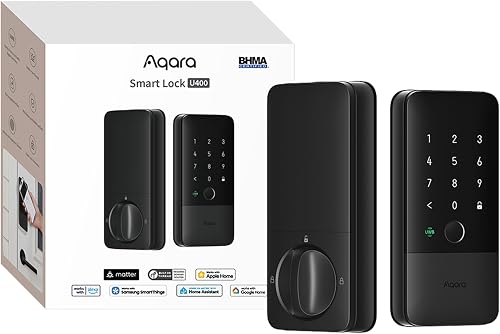
| Aqara U400 | hands-free UWB entry | UWB, Home Key, fingerprint, passcode, app, NFC card and physical key | Matter over Thread | Rechargeable, removable lithium battery | 8.3 |
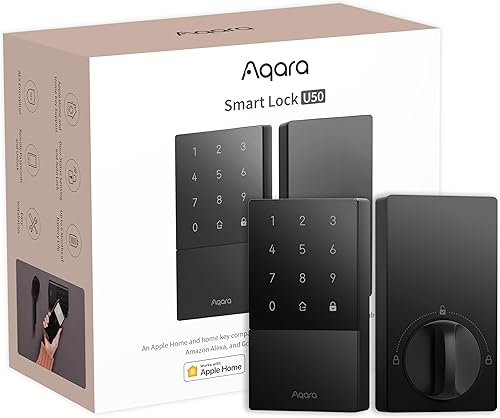
| Aqara U50 | keypad-first households | Home Key, keypad, passwords and physical key | Bluetooth and Zigbee | 4 AA batteries; USB-C emergency charging | 7.9 |
| Schlage Encode Plus | built-in Wi-Fi access | Home Key and touchscreen codes | Wi-Fi and Bluetooth | 7.8 | |
| Aqara U200 | keeping your deadbolt | Home Key, fingerprint, passcode, Bluetooth and physical keys | Rechargeable interior battery and 4 AAA batteries for keypad | 7.4 | |
| Kwikset Halo Select Plus | many guest codes | Home Key, touchscreen, app and geofencing | Wi-Fi and Matter | 7.4 | |
| Level Lock Pro | a traditional lock look | Home Key, NFC fobs, touch, voice and physical key | Bluetooth and Matter | 7.3 | |
| Level Lock Plus | included Wi-Fi bridge | Home Key, app, key fob and physical key | Wi-Fi | 7.2 | |
| Yale Wi-Fi Deadbolt with Home Key | upgradeable connectivity | Home Key, touchscreen keypad and auto-unlock | Bluetooth; optional Wi-Fi or Z-Wave module | 7.2 | |
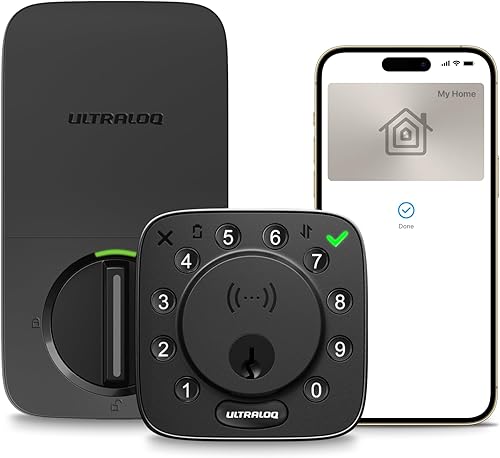
| Ultraloq Bolt NFC | Apple and Android taps | Home Key, Android NFC, passcodes, app, key fob and physical keys | Wi-Fi and Bluetooth | 7.1 |
Apple Home Key locks with the strongest mix of entry options
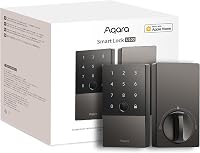
The Aqara U100 is the top pick if you want several entry methods beyond tapping your iPhone or Apple Watch. Its fingerprint reader, password options and mechanical key suit different household routines.
Aqara U100: Best for varied entry methods
- Apple Home Key tap access
- Fingerprint reader for up to 50 fingerprints
- Keypad, passwords and physical key
- Aqara hub required for shared Home Keys
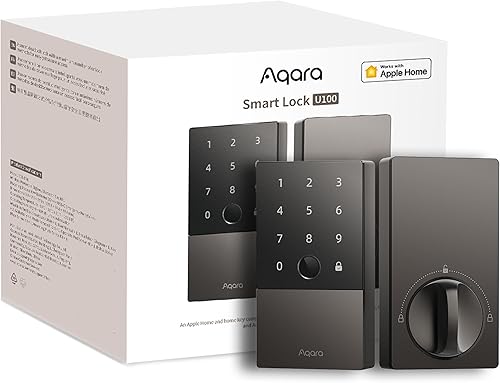
The U100 combines Apple Home Key with a fingerprint reader, keypad, password options and a physical key. Sharing Home Keys requires an Apple Home Hub.
Pros
- Several ways to enter
- Supports up to 50 fingerprints
- Emergency USB-C charging
Cons
- Shared Home Keys require an Apple Home Hub
- Remote Aqara passwords require an Aqara Zigbee 3.0 hub
The U100 gives you several ways to enter. Tap an iPhone or Apple Watch with Home Key, use the fingerprint reader, enter a password or keep the mechanical key as a backup.
Its fingerprint reader supports up to 50 fingerprints. Remotely configurable passwords through the Aqara Home app require an Aqara Zigbee 3.0 hub.
One-time local passwords are another option for visitors.
Sharing Apple Home Keys requires an Apple Home Hub. Keep that requirement in mind if guest access through Apple Home is central to your setup.
The U100 uses 4 AA batteries and has a USB-C port for emergency charging. Aqara says battery life can reach up to 8 months.
Choose the U100 if your household wants fingerprint, keypad and Home Key access in one deadbolt. If keypad entry matters more than fingerprint access, compare it with the U50.
The Aqara U400 adds UWB hands-free entry for supported iPhone or Apple Watch devices. It also offers Home Key tap access and other entry methods, including fingerprint and passcode.
Aqara U400: Best for hands-free UWB entry
- UWB approach opening
- Apple Home Key tap access
- Matter over Thread
- Rechargeable battery lasts up to 6 months per charge
The U400 adds UWB approach opening to Home Key, fingerprint and passcode entry. UWB needs a compatible Thread-enabled Apple Home hub and supported Apple devices.
Pros
- Hands-free UWB entry
- Rechargeable removable battery
- IP65-rated exterior
Cons
- UWB needs specific Apple devices and a Thread-enabled hub
- NFC card is sold separately
The U400 is the only pick here with UWB approach opening. Aqara says it uses position, direction and approach intent to decide when to open.
UWB requires a Thread-enabled Apple Home hub and supported Apple devices. Aqara lists iPhone 11 or later, excluding iPhone SE and iPhone 16e, running iOS 18.5 or later, and Apple Watch Series 6 or later, excluding SE, running watchOS 11.5 or later.
You can also use Home Key, fingerprint, touchscreen passcode, app access, NFC card or physical key. Its rechargeable, removable battery lasts up to 6 months per charge, and the exterior has an IP65 rating.
Pick the U400 if hands-free arrival is worth checking device compatibility for. If you prefer tap access without UWB, the U100 offers several entry methods.
The Aqara U50 pairs keypad access and Home Key on one deadbolt. Its local one-time passwords can help when internet access isn't available.
Aqara U50: Best for keypad-first households
- Apple Home Key tap access
- Keypad and password options
- Physical key
- Aqara hub required for remote passwords
The U50 pairs Home Key with keypad access and local one-time passwords. It also has a rekeyable cylinder designed to match an existing 5-pin key.
Pros
- Keypad plus Home Key
- Local one-time passwords can work without internet
- Rekeyable cylinder
Cons
- Remote passwords require an Aqara Zigbee 3.0 hub
- NFC card is sold separately
The U50 supports Home Key, keypad entry, password options and a physical key. Local one-time passwords can work without an internet connection, while remote password setup through the Aqara Home app requires an Aqara Zigbee 3.0 hub.
Its built-in gyroscope supports auto-lock after the door closes. You can also turn off auto-lock to leave the door in passage mode.
The lock runs on 4 AA batteries and has a USB-C port for emergency charging. Its cylinder is designed for rekeying to match an existing 5-pin key, and the exterior has an IPX5 rating.
Choose the U50 if you want keypad access and Home Key without a fingerprint reader. For app control from anywhere, consider the Schlage Encode Plus.
Apple Home Key deadbolts for Wi-Fi and guest access
Built-in Wi-Fi can support remote app control, while a high code limit can help when you regularly share entry. The Schlage Encode Plus and Kwikset Halo Select Plus pair Home Key with app and keypad access.
Schlage Encode Plus: Best for built-in Wi-Fi access
- Apple Home Key tap access
- Built-in Wi-Fi
- Manage up to 100 access codes
- Customizable alarm
The Encode Plus combines Home Key and touchscreen codes with built-in Wi-Fi for remote control through the Schlage Home app. It fits the stated door thickness and backset ranges.
Pros
- Built-in Wi-Fi for remote app access
- Manage up to 100 access codes
- Customizable door and forced-entry alarm
Cons
- Door measurements need to match its stated fit
- Remote app features require a secure Wi-Fi connection
The Schlage Encode Plus offers built-in Wi-Fi for remote control through the Schlage Home app. You can manage up to 100 access codes, view lock history and receive customizable notifications when connected to a secure Wi-Fi network.
It supports Home Key, a fingerprint-resistant touchscreen and a customizable alarm for door movement or forced-entry attempts. Alexa and Google Assistant control are available when paired with the Schlage app and a voice-enabled device.
Schlage specifies a fit range of 1-3/8 to 1-3/4 in door thickness and a 2-3/8 or 2-3/4 in backset. Measure your door before choosing this lock.
Choose it if you want remote app access without a separate bridge. Our guide to measuring a door before buying a keyless lock walks through the dimensions to check.
Kwikset Halo Select Plus: Best for many guest codes
- Apple Home Key tap access
- Wi-Fi and Matter
- Up to 250 temporary, scheduled or permanent codes
- Touchscreen and app entry
The Halo Select Plus supports Home Key, touchscreen codes and app control. It supports up to 250 temporary, scheduled or permanent codes for homes with frequent guest access.
Pros
- Up to 250 access codes
- Wi-Fi and Matter connectivity
- App and touchscreen entry
Cons
- No fingerprint reader
- Geofencing is an additional setup choice
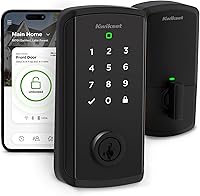
The Kwikset Halo Select Plus supports up to 250 temporary, scheduled or permanent access codes. That capacity may help if you share entry with family, guests and service providers.
Home Key tap access sits alongside touchscreen, app and geofencing entry. The lock supports Wi-Fi and Matter, plus Alexa, Apple Home and Google Home integration.
Its stated features include auto-lock, one-touch locking, an alarm and a door status sensor. Measure your door and confirm fit before ordering.
Choose this Kwikset if guest-code capacity matters more than fingerprint access. To compare Apple Home Key with another smart home protocol, read our guide to Z-Wave smart locks.
Home Key locks for existing hardware and a discreet look
A retrofit lock can preserve a compatible deadbolt, while an internal design can keep smart hardware out of view. The Aqara U200 and Level Lock Pro take different approaches.
Aqara U200: Best for keeping your deadbolt
- Retrofit design keeps an existing deadbolt
- Apple Home Key tap access
- Fingerprint, passcode and Bluetooth entry
- Interior rechargeable battery and exterior AAA batteries
The U200 adds smart access to a compatible existing deadbolt, which can suit renters who want to take the lock with them. Check the deadbolt's tailpiece and dimensions before buying.
Pros
- Keeps a compatible existing deadbolt
- Several entry methods
- No permanent door modifications required
Cons
- Compatibility depends on the existing deadbolt
- Remote access requires a Matter-enabled hub
The Aqara U200 adds smart control to a compatible existing deadbolt. It can suit renters or homeowners who want to keep their current hardware, provided the deadbolt's interior knob and tailpiece meet the compatibility requirements.
It supports Home Key, fingerprint, passcode, Bluetooth, NFC card and physical key entry. Apple Home Key and Apple features require a Thread-enabled Apple hub.
Remote control requires a Matter-enabled hub.
The U200 has a rechargeable battery for the interior lock and 4 AAA batteries for the exterior keypad. Aqara gives about 6 months of battery life for each power source.
Choose it when keeping the existing deadbolt is a priority. Use our retrofit smart lock guide to understand the installation approach before checking your hardware.
Level Lock Pro: Best for a traditional lock look
- Hidden smart lock hardware
- Apple Home Key tap access
- Matter compatibility
- Remote access needs a compatible hub or Level Connect Wi-Fi Bridge
The Level Lock Pro keeps its smart lock technology inside the door and retains a traditional exterior appearance. Remote access requires a Matter-compatible hub or a separately sold Level Connect Wi-Fi Bridge.
Pros
- No bulky visible smart lock hardware
- Includes NFC fobs and physical keys
- Door status detection
Cons
- Remote access needs a compatible hub or Wi-Fi Bridge
- Keypad is sold separately
The Level Lock Pro keeps its smart lock hardware hidden inside the door, so the exterior can retain a traditional deadbolt appearance. Entry options include Home Key, NFC key fobs, touch-to-open, voice control and a physical key.
Remote access requires either a Matter-compatible hub or Level Connect Wi-Fi Bridge, sold separately. Matter operation also needs a supported hub and Thread border router.
Local Bluetooth control is available.
The lock includes a CR2 battery, 2 NFC key fobs and 2 physical keys. It fits most standard U.S. doors 1.75–2 in thick, and the keypad is sold separately.
Pick the Pro if visible smart lock hardware would change the look of your door. If you want a Wi-Fi bridge included, the Level Lock Plus below is the better match.
Apple Home Key locks with upgradeable or cross-platform access
Some households want to add connectivity later, while others need tap entry across Apple and Android devices. Yale and Ultraloq address those needs in different ways.
Level Lock Plus: Best for included Wi-Fi bridge
- Apple Home Key tap access
- Discreet design with no visible technology
- Included Connect Wi-Fi bridge
- App, key fob and physical key entry
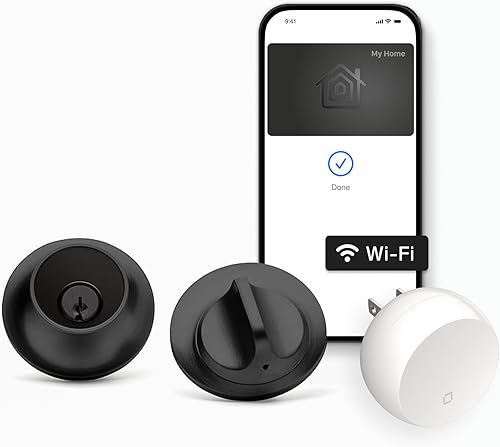
The Level Lock Plus offers a discreet design and Home Key, with a Connect Wi-Fi Bridge included for remote app control. It also supports key fobs and physical keys.
Pros
- Wi-Fi bridge included
- Discreet lock design
- App and key fob access
Cons
- Check existing door hardware compatibility
- Keypad is not listed among the included components
The Level Lock Plus pairs Home Key with a discreet design and an included Connect Wi-Fi Bridge. The bridge supports remote app control, activity history and access-code management through the Level Home app.
You also get app and key-fob entry, physical keys, auto-lock and auto-open options. Level describes the lock as having no visible technology on the inside or outside.
Choose the Plus if you want Level's less visible design and a bridge included for remote access. The Level Lock Pro is a closer fit if you prefer Matter connectivity and can arrange a separate compatible hub or bridge.
Yale Wi-Fi Deadbolt with Home Key: Best for upgradeable connectivity
- Apple Home Key and Express Mode
- Bluetooth included
- Optional Wi-Fi or Z-Wave module
- DoorSense and auto-lock
This Yale deadbolt starts with Bluetooth and supports Home Key, a touchscreen keypad and unlimited entry codes. Add-on Wi-Fi or Z-Wave modules are sold separately.
Pros
- Connectivity can be upgraded
- DoorSense detects a closed door
- Home Key Express Mode
Cons
- Wi-Fi and Z-Wave modules are sold separately
- Base model uses Bluetooth
The Yale Wi-Fi Deadbolt with Home Key starts with Bluetooth and lets you add Wi-Fi or Z-Wave modules later. Those modules are sold separately, so factor in the extra hardware if remote access or a Z-Wave setup is part of your plan.
Home Key works with iPhone or Apple Watch, and Express Mode lets you tap without waking the device. Yale also includes a touchscreen keypad, unlimited entry codes, DoorSense to detect a closed door and auto-lock.
This option lets you begin with near-door Bluetooth access and choose an upgrade later. It has Grade 2 BHMA certification and an operating range from -22°F to 140°F.
Choose Yale if a modular connection path suits your home. If you want Wi-Fi included, compare it with the Schlage Encode Plus or Ultraloq Bolt NFC.
Ultraloq Bolt NFC: Best for Apple and Android taps
- Apple Home Key and Android NFC tap access
- Built-in Wi-Fi
- Keypad codes and physical keys
- 8 AA batteries stated to last up to 1 year
The Ultraloq Bolt NFC supports Apple Home Key and Android NFC tap access, along with keypad codes, app control, key fobs and physical keys. That mix may suit households using both phone platforms.
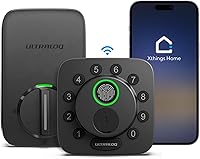
Its built-in Wi-Fi works on 2.4 GHz and doesn't require a bridge. The lock can manage up to 50 access codes, send app notifications and share eKeys or codes remotely.
Ultraloq says its 8 AA batteries can last up to 1 year with regular use. The lock also has auto-lock with a door sensor and auto-open when you arrive.
Choose it if Android NFC access matters alongside Home Key. If your household uses Apple devices only and you want a more discreet exterior, compare the Level Lock Pro.
How to choose an Apple Home Key lock
Choose an Apple Home Key lock by matching entry methods and hub requirements to your household. Tap access is most useful when family and guests also have a workable backup.
For several entry methods, start with the Aqara U100. Its fingerprint, keypad password and physical-key options make it the highest-scoring pick in this roundup.
For remote control, consider the Schlage Encode Plus or Ultraloq Bolt NFC, both with built-in Wi-Fi. The Level Lock Plus includes a Wi-Fi bridge, while Yale's Wi-Fi module is sold separately.
If you rent or want to preserve existing hardware, consider the retrofit U200 after checking compatibility. If appearance matters, the Level Lock Pro hides its technology inside the door.
For hands-free entry, choose the U400 if your Apple devices and hub meet its UWB requirements. For broader standards context, see how Matter works with smart locks.
Which Apple Home Key lock should you choose?
Choose the Aqara U100 for a strong mix of Home Key, fingerprint, keypad and physical-key access. Pick the U400 for UWB hands-free entry with compatible Apple devices, or the U50 for keypad access and local one-time passwords.
Match the lock to your door, hub setup and household's backup-entry needs. Before choosing, confirm door measurements, hub requirements and the entry methods everyone will use.
Our top 3 picks at a glance
-
1
-
2
-
3
Frequently asked questions
What is Apple Home Key on a smart lock?
Apple Home Key lets you use a supported iPhone or Apple Watch to tap a compatible lock. Depending on the lock and setup, you may need an Apple Home hub for shared keys, remote access or other Apple Home features.
Check each lock's hub and device requirements before choosing it.
Do Apple Home Key locks need a hub?
Hub needs vary by lock and feature. The U100 needs an Apple Home Hub to share Home Keys, while the U400 requires a Thread-enabled Apple Home hub for UWB opening.
A hub may also be needed for remote access or smart home automations, depending on the lock.
Can Apple Home Key work when an iPhone battery is dead?
Some compatible locks support power reserve, which can let a Home Key work for a period after an iPhone needs charging. Aqara says Home Key access on the U100 and U50 can work even when the iPhone or Apple Watch is out of power.
Check the phone and lock instructions for the conditions.
Should I choose a retrofit Apple Home Key lock?
A retrofit lock can be a good fit if you want to keep a compatible existing deadbolt. The Aqara U200 is designed to add smart control without replacing the deadbolt, but you need to check the interior knob and tailpiece dimensions first.
A full replacement may be simpler if your current hardware is not compatible.
Can Android users use these Apple Home Key locks?
Some locks offer Android access methods alongside Apple Home Key. The Ultraloq Bolt NFC supports Android NFC tap access, while other models may offer an app, code or physical key.
Compare the entry methods for everyone in your household before choosing a lock.